If you’re reading this, chances are you’re hunched over your laptop screen right now. Your shoulders are creeping up towards your ears, and a familiar ache is settling in your neck and back. We spend hours every day staring at these screens, often in positions that would make a chiropractor cringe. The simple truth is, laptops were designed for convenience, not for long-term ergonomic health. That’s where a Height Adjustable Laptop Stand comes in, not as a mere accessory, but as an essential tool for your well-being and productivity.
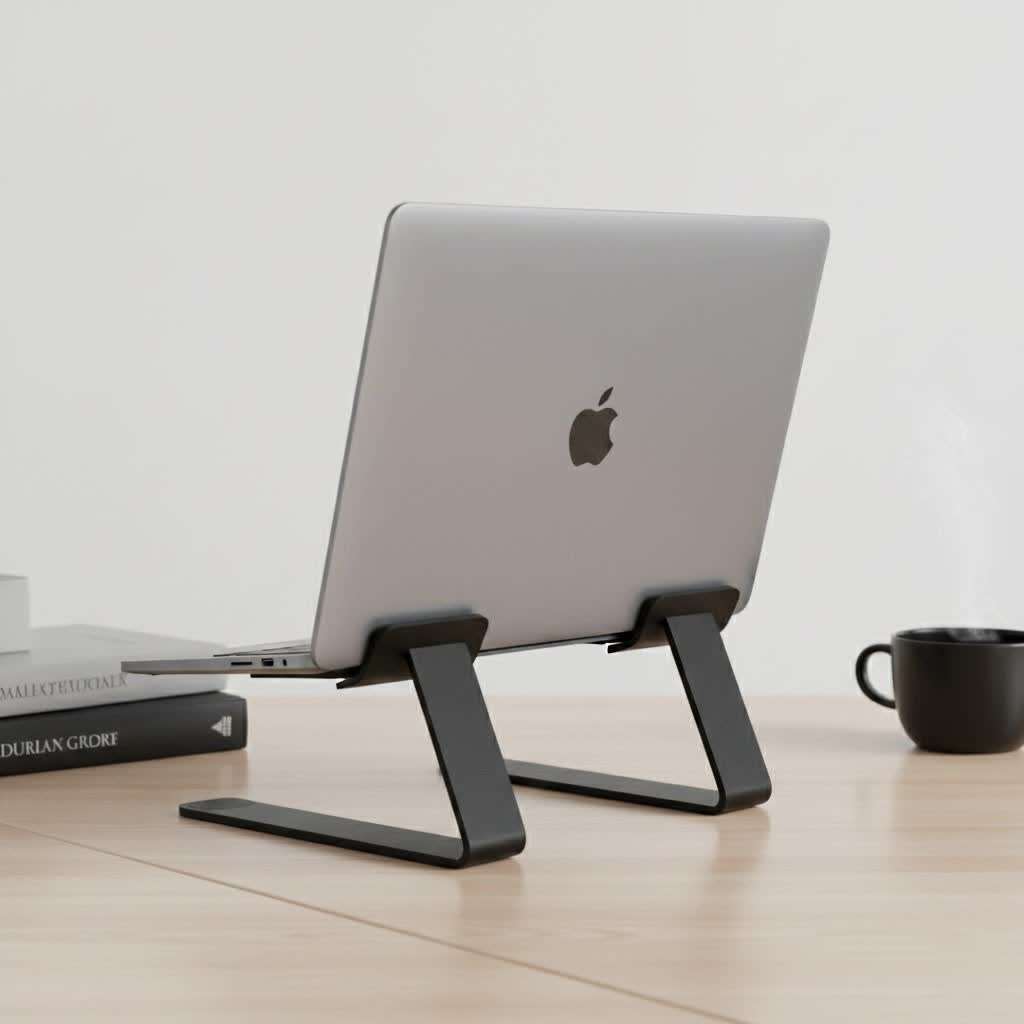
As someone who has dedicated over a decade to the ergonomics of workspaces here at Wweaw, I’ve seen firsthand how this simple device can revolutionize your relationship with your laptop. It’s about transforming a source of strain into a comfortable, efficient part of your daily routine.
What Exactly is a Height Adjustable Laptop Stand?
A height adjustable laptop stand is a device designed to elevate and angle your laptop so the screen is at your natural eye level and the keyboard is at a comfortable typing position. Unlike fixed stands, its key feature is the ability to customize the height and often the angle, adapting perfectly to your specific body, chair, and desk setup. Think of it as a custom-tailored pedestal for your most important work tool.
This adaptability is crucial because ergonomics isn’t a one-size-fits-all solution. The ideal screen height for someone who is six feet tall is vastly different from someone who is five feet tall. A height adjustable laptop stand bridges that gap, ensuring anyone can achieve an optimal posture.
The Core Benefits: More Than Just Comfort
Investing in a proper stand goes far beyond just feeling a bit more comfortable. The long-term benefits impact your physical health, focus, and even the lifespan of your device.
1. Championing Your Posture and Health
The primary benefit is, without a doubt, ergonomic. By lifting your screen, you eliminate the need to crane your neck downwards.
- Reduces Neck and Back Pain: Raising the screen to eye level allows your head to rest naturally on your spine, alleviating chronic strain on your neck and upper back muscles.
- Prevents “Tech Neck”: This modern ailment, caused by constantly looking down at devices, can lead to headaches, stiffness, and long-term spinal issues. A stand directly counteracts this.
- Decreases Eye Strain: Positioning the screen at the right height and distance (usually an arm’s length away) reduces the work your eyes have to do, preventing fatigue and dryness.
|
Our Picks for the Best Laptop Stand in 2026
As an Amazon Associate I earn from qualifying purchases.
|
||
| Num | Product | Action |
|---|---|---|
| 1 | BESIGN LS03 Aluminum Laptop Stand, Ergonomic Detachable Computer Stand, Notebook Riser Compatible with Air, Pro, Dell, HP, Lenovo More 10-15.6\" Laptops, Silver |

|
| 2 | tounee Telescopic Laptop Stand for Desk with 360° Swivel Base, Sit to Stand, Height Adjustable, Portable Riser Holder for Good Posture, Compatible with MacBook Pro, All Laptops 10-17\"-Gray |
|
| 3 | BESIGN LS03 Aluminum Laptop Stand, Ergonomic Detachable Computer Stand, Riser Holder Notebook Stand Compatible with Air, Pro, Dell, HP, Lenovo More 10-15.6\" Laptops, Black |
|
| 4 | Adjustable Laptop Stand for Desk, Metal Foldable Laptop Riser Holder, Portable Desktop Book Stands, Ventilated Cooling Computer Notebook Stand Compatible with 10-15.6” Laptops |
|
| 5 | OMOTON 360° Rotating Laptop Stand Riser for Desk, Ergonomic Foldable Computer Stand Adjustable Height Angles for Collaborative Work, Easy Storage Fit Macbooks,All Laptops up to 16 inches, Silver |
|
| 6 | Lamicall Adjustable Laptop Stand, Portable Laptop Riser, Aluminum Laptop Stand for Desk Foldable, Ergonomic Computer Notebook Stand Holder for MacBook Air Pro, Dell XPS, HP (10-17.3\'\') - Silver |
|
| 7 | Amazon Basics Sturdy and Portable Ergonomic Laptop Stand for Desk, Height Adjustable Riser with Ventilated Cooling, Foldable, Fits all Laptops up to 17.3 Inch, Silver, 10 x 8.7 x 6 in |
|
| 8 | acer Laptop Stand for Desk - with 360 Swivel Base, Rotating Laptop Riser for Desk, Adjustable Computer Stand for Laptops, Ergonomic Riser Holder Foldable, Portable MacBook Pro Air (10-16\") - Silver |
|
| 9 | Laptop Stand for Desk, Adjustable Laptop Riser ABS+Silicone Foldable Portable Notebook Holder, Ventilated Cooling Notebook Mount Computer Stand for 10-15.6” Laptops,Tablets-Black |
|
| 10 | Adjustable Laptop Stand, Computer Stand with 360 Rotating Base, Ergonomic Laptop Riser Mount for Desk Foldable Protable Computer Desk Fits with MacBook Pro Air (10-16\") - Black |
|
As ergonomist Dr. Evelyn Reed often states, “The best posture is your next posture. But the best starting point is a neutral one. A height adjustable stand is the foundation for achieving that neutral, strain-free position with a laptop.”
2. Boosting Productivity and Focus
When you aren’t constantly shifting to relieve discomfort or distracted by a nagging ache, your ability to concentrate skyrockets. A comfortable body leads to a focused mind. Setting up an ergonomic workspace signals to your brain that it’s time to work, creating a more professional and efficient environment, even in a home office.
3. Improving Laptop Performance and Lifespan
Laptops generate a lot of heat, and their internal fans often struggle when the device sits flat on a desk, restricting airflow.
- Enhanced Ventilation: Most stands are designed with open frames or ventilation cutouts made from heat-conductive materials like aluminum.
- Prevents Overheating: By elevating the laptop, air can circulate freely underneath, helping to dissipate heat more effectively. This prevents your laptop from throttling its performance and can extend the life of its internal components.
How to Choose the Right Height Adjustable Laptop Stand
With so many options on the market, selecting the right one can feel overwhelming. As an expert in this field, I recommend focusing on these four key pillars: stability, adjustability, portability, and material.
### Stability and Weight Capacity
This is non-negotiable. The stand must be able to hold your laptop securely without wobbling or tipping over. Check the manufacturer’s specifications for the maximum supported laptop size (e.g., up to 17 inches) and weight. A stand with a wide base and anti-slip silicone or rubber pads is crucial for keeping your expensive device safe.
### Range of Adjustability
The whole point is to adjust it, so how much can it move?
- Height Range: Look for a stand that can raise your laptop screen to your specific eye level when you’re seated upright.
- Angle Adjustment: Many stands also offer tilt functionality. This helps in reducing glare and finding the most comfortable viewing angle.
- Mechanism: Are the joints stiff and secure? Do they require tools for adjustment, or can they be manipulated by hand? Friction-based hinges are common and offer great flexibility.
### Portability and Design
Consider your work habits. Are you always at the same desk, or do you move between a home office, a corporate office, and coffee shops?
- For Fixed Setups: A larger, heavier stand might offer superior stability and is a great choice if you don’t plan on moving it.
- For Hybrid Workers: If you’re on the go, look for a lightweight, foldable design. Many excellent stands can collapse into a compact shape that fits easily into a backpack.
### Material and Build Quality
The material affects the stand’s durability, weight, and thermal properties.
- Aluminum Alloy: This is the most popular choice for a reason. It’s strong, lightweight, and has excellent heat dissipation properties, acting as a passive heat sink for your laptop.
- Steel: Very sturdy and durable, but often heavier and less portable.
- Plastic/ABS: Can be a good budget-friendly and lightweight option, but may lack the premium feel and durability of metal stands.
Setting Up Your Stand for Perfect Ergonomics
Getting a stand is the first step; using it correctly is the second. Follow this simple guide:
- Sit Correctly: Sit back in your chair with your feet flat on the floor and your back supported. Your arms should be relaxed, with your elbows at roughly a 90-degree angle.
- Use an External Keyboard and Mouse: You cannot achieve proper ergonomics by typing on the laptop’s keyboard once it’s elevated. This is a critical point many people miss. An external keyboard and mouse allow your arms to remain in a comfortable, neutral position.
- Adjust the Height: Raise the stand until the top edge of your laptop screen is level with your eyes. You shouldn’t have to tilt your head up or down to see the center of the screen.
- Set the Distance: Position the stand so the screen is about an arm’s length away from you. You should be able to read the text comfortably without leaning in.
Frequently Asked Questions (FAQ)
Can I use a height adjustable laptop stand without an external keyboard?
While you technically can, it defeats the ergonomic purpose. Elevating the laptop also elevates its keyboard, forcing you to hold your arms and wrists in a strained, unnatural position. For your health, always pair a stand with an external keyboard and mouse.
Are these stands stable enough for heavy gaming laptops?
Many are. It’s essential to check the product specifications. Look for stands made from high-grade aluminum or steel and check the maximum supported weight and size. Models with robust bases and stiff hinges are designed specifically for heavier machines.
Will a laptop stand help with my Zoom calls?
Absolutely. By raising your laptop’s camera to eye level, you achieve a much more natural and professional-looking angle for video conferences. It eliminates the unflattering “up-the-nostrils” view and helps you maintain better posture during meetings.
Can I use a height adjustable laptop stand on the couch or in bed?
Yes, many people do. A stable, flat-based stand can provide a more structured and ergonomic setup than simply placing the laptop on your lap. It improves airflow and prevents you from hunching over, even in a relaxed environment.
How high should my laptop screen be?
The general rule of thumb is to position the top of the screen at or just slightly below your eye level. This allows you to look straight ahead without tilting your neck up or down, which is the key to maintaining a neutral spine.
Your Health is Worth the Investment
In a world where our laptops are central to our work and life, we can no longer afford to ignore how we interact with them physically. A height adjustable laptop stand is a simple, elegant, and powerful solution to a problem that affects millions of people every day. It’s a small change to your desk that makes a monumental difference to your health, comfort, and focus. Stop adapting your body to your technology and start making your technology adapt to you. Your back and neck will thank you for it.
