A foldable stand for laptop is an essential tool for improving ergonomics, comfort, and productivity by elevating the laptop screen to eye level, reducing neck and shoulder strain, and enhancing device cooling. These stands are highly portable, typically made from lightweight aluminum alloy, and collapse into compact forms for easy transport. They are crucial for digital nomads, hybrid workers, and anyone seeking a healthier, more efficient workspace.
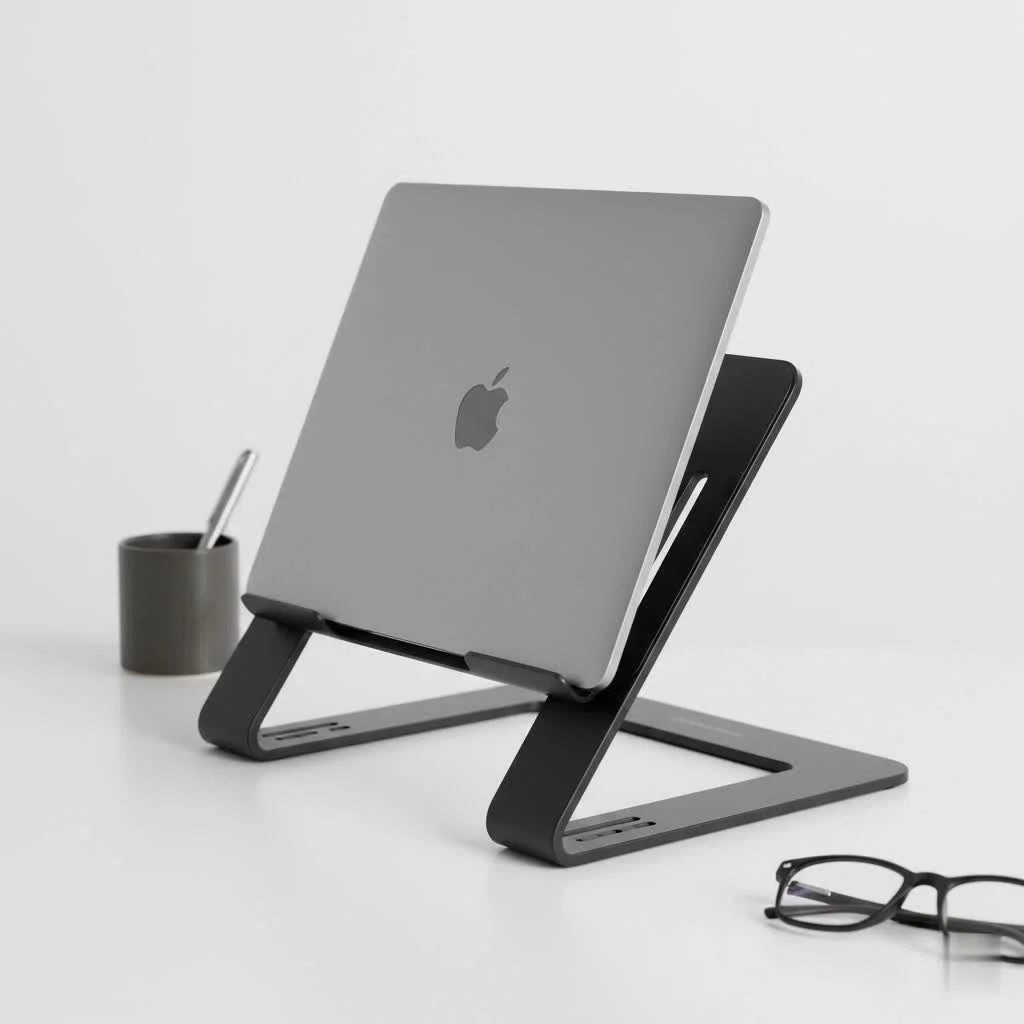
As the creators behind Wweaw, we’ve spent over a decade designing, testing, and refining laptop stands. We understand that the right stand isn’t just about elevating your device; it’s about elevating your entire work experienceLet’s dive into why a foldable stand is a major upgrade and how you can choose the perfect one. For complete laptop stands library on this site.
Why Every Laptop User Needs a Foldable Stand
You might think a stack of books can do the job, but a dedicated foldable stand offers specific benefits that directly address the challenges of laptop use. It’s an investment in both your well-being and your device’s longevity.
improve your Ergonomics
The primary benefit of any laptop stand is ergonomics. A laptop’s design, with the screen and keyboard fixed together, is inherently un-ergonomic. You either position the screen at eye level and have the keyboard too high, or place the keyboard comfortably and end up craning your neck down.
A foldable stand solves this by decoupling the screen from your desk. By raising your laptop screen to eye level, you can:
- Maintain a neutral spine: This means your head is balanced directly over your shoulders, preventing the forward-head posture that causes so much strain.
- Reduce neck and shoulder pain: Aligning the screen properly eliminates the need to look down, instantly relieving tension in your neck and shoulder muscles.
- Decrease eye strain: Positioning the screen at the right height and distance helps your eyes focus more naturally.
“The most significant ergonomic mistake people make is adapting their body to their technology,” notes Dr. Alistair Finch, a leading ergonomics consultant. “A foldable laptop stand flips that dynamic. It forces the technology to adapt to your body’s natural posture, which is crucial for long-term musculoskeletal health.”
Unbeatable Portability for the Modern Professional
This is where the “foldable” aspect truly shines. While traditional stands are great for a fixed desk, a foldable stand for laptop is designed for life on the move.
- Lightweight and Compact: Most are made from lightweight aluminum and collapse into a slim, rod-like shape or a flat profile.
- Easy to Transport: They easily slip into a backpack, laptop bag, or even a large pocket, often with their own carrying pouch.
- Work from Anywhere: Set up an ergonomic workstation in seconds, whether you’re at a coffee shop, co-working space, library, or your kitchen table.
Boost Laptop Performance with Better Cooling
|
Our Picks for the Best Laptop Stand in 2026
As an Amazon Associate I earn from qualifying purchases.
|
||
| Num | Product | Action |
|---|---|---|
| 1 | Amazon Basics Sturdy and Portable Ergonomic Laptop Stand for Desk, Height Adjustable Riser with Ventilated Cooling, Foldable, Fits all Laptops up to 17.3 Inch, Silver, 10 x 8.7 x 6 in |

|
| 2 | BESIGN LS03 Aluminum Laptop Stand, Ergonomic Detachable Computer Stand, Riser Holder Notebook Stand Compatible with Air, Pro, Dell, HP, Lenovo More 10-15.6\" Laptops, Black |
|
| 3 | OMOTON 360° Rotating Laptop Stand Riser for Desk, Ergonomic Foldable Computer Stand Adjustable Height Angles for Collaborative Work, Easy Storage Fit Macbooks,All Laptops up to 16 inches, Silver |
|
| 4 | acer Laptop Stand for Desk - with 360 Swivel Base, Rotating Laptop Riser for Desk, Adjustable Computer Stand for Laptops, Ergonomic Riser Holder Foldable, Portable MacBook Pro Air (10-16\") - Silver |
|
| 5 | Laptop Stand for Desk, Adjustable Laptop Riser ABS+Silicone Foldable Portable Notebook Holder, Ventilated Cooling Notebook Mount Computer Stand for 10-15.6” Laptops,Tablets-Black |
|
| 6 | Lamicall Adjustable Laptop Stand, Portable Laptop Riser, Aluminum Laptop Stand for Desk Foldable, Ergonomic Computer Notebook Stand Holder for MacBook Air Pro, Dell XPS, HP (10-17.3\'\') - Silver |
|
| 7 | Adjustable Laptop Stand for Desk, Metal Foldable Laptop Riser Holder, Portable Desktop Book Stands, Ventilated Cooling Computer Notebook Stand Compatible with 10-15.6” Laptops |
|
| 8 | Adjustable Laptop Stand, Computer Stand with 360 Rotating Base, Ergonomic Laptop Riser Mount for Desk Foldable Protable Computer Desk Fits with MacBook Pro Air (10-16\") - Black |
|
| 9 | BESIGN LS03 Aluminum Laptop Stand, Ergonomic Detachable Computer Stand, Notebook Riser Compatible with Air, Pro, Dell, HP, Lenovo More 10-15.6\" Laptops, Silver |
|
| 10 | tounee Telescopic Laptop Stand for Desk with 360° Swivel Base, Sit to Stand, Height Adjustable, Portable Riser Holder for Good Posture, Compatible with MacBook Pro, All Laptops 10-17\"-Gray |
|
Laptops generate a lot of heat, especially under heavy loads. When a laptop sits flat on a surface, heat gets trapped underneath, forcing the internal fans to work overtime and potentially leading to performance throttling (your computer slows down to protect itself).
A foldable stand elevates the laptop, allowing for 360-degree airflow. This passive cooling is incredibly effective, helping your machine run cooler, quieter, and more efficiently, which can extend the lifespan of its internal components.
How to Choose the Perfect Foldable Stand for Your Laptop
With a sea of options available, finding the right stand can feel overwhelming. Focus on these key factors to match a stand to your specific needs.
What should I look for in material and build quality?
The material dictates the stand’s durability, weight, and stability.
- Aluminum Alloy: This is the most popular choice for a reason. It offers an excellent balance of strength and light weight. It’s durable enough for daily use and travel, and it has a premium look and feel.
- High-Quality Plastic: While often cheaper, high-grade ABS plastic can be surprisingly sturdy and even lighter than aluminum. However, avoid flimsy, thin plastic models, as they can wobble and may not support heavier laptops.
- Stability is Non-Negotiable: Look for stands with silicone or rubber pads on the “feet” that rest on the desk and on the “hooks” that hold your laptop. These anti-slip grips are essential to prevent the stand from sliding and your laptop from getting scratched or slipping off.
How important is adjustability?
Adjustability is crucial for dialing in the perfect ergonomic setup. A one-size-fits-all approach doesn’t work when everyone’s body and desk setup is different.
- Height Settings: Look for multiple height adjustment slots or a continuous range of motion. The goal is to bring the top of your screen to, or just below, eye level.
- Angle Adjustment: The ability to tilt the keyboard angle can also be useful, though for true ergonomics, you should be using an external keyboard and mouse.
- Ease of Use: Check how the stand adjusts. Is it a simple, intuitive mechanism, or does it require complicated maneuvering? The best stands are quick to set up and pack away.
Will it fit my laptop?
Compatibility is a simple but vital checkpoint. Before buying, always check the stand’s specifications for:
- Supported Sizes: Most stands list a range of compatible laptop sizes (e.g., 10 to 15.6 inches).
- Weight Capacity: Ensure the stand can comfortably support your laptop’s weight. A stand that is at its weight limit will be less stable.
- Laptop Thickness: Some ultra-minimalist stands have small retaining hooks that may not fit older, thicker laptops or gaming laptops.
Popular Types of Foldable Laptop Stands
Foldable stands come in a few common designs, each with its own advantages.
The “Z-Type” Adjustable Stand
These stands often feature two articulating arms that can be manipulated to form a “Z” shape. They offer the widest range of height and angle adjustments, sometimes high enough to function as a standing desk converter for your laptop. They are incredibly versatile but can be slightly bulkier than other foldable options.
The Collapsible “X-Frame” Stand
This is perhaps the most common and popular design for a portable foldable stand for laptop. It typically consists of two cross-braced supports that expand to form an “X” shape and fold down into a very compact stick. Models like the Roost and its many derivatives are famous for being incredibly lightweight and stable.
The Adhesive “Stick-On” Stand
For the ultimate minimalist, these are thin, flat stands that adhere directly to the bottom of your laptop. They have little “legs” that pop out to provide a modest but effective ergonomic lift. While they don’t offer much height adjustment, their sheer convenience is unmatched—you can never forget to bring your stand because it’s always attached.
Pro Tips for an Optimal Ergonomic Setup
Simply buying a stand isn’t the final step. To truly reap the benefits, you need to use it correctly.
- Adjust to Eye Level: Position the stand so that the top of your laptop screen is level with your eyes. You shouldn’t have to tilt your head up or down.
- Use an External Keyboard and Mouse: This is the golden rule of laptop ergonomics. With your screen at the proper height, the built-in keyboard will be too high and angled for comfortable typing. An external keyboard and mouse allow you to keep your wrists straight and your arms relaxed at your sides.
- Position It Correctly: Place the stand about an arm’s length away from you. This is generally the optimal viewing distance to reduce eye strain.
Frequently Asked Questions (FAQ)
Can a foldable stand damage my laptop?
No, a well-designed stand will not damage your laptop. In fact, it helps protect it. Look for stands with soft silicone or rubber pads at all contact points to prevent scratches. The improved airflow also prevents damage from overheating.
Is a foldable laptop stand sturdy enough for daily use?
Absolutely. High-quality stands made from materials like aluminum alloy are engineered to be both lightweight and incredibly durable. They are designed to withstand the rigors of daily setup, takedown, and travel.
How do I clean my foldable laptop stand?
Cleaning is simple. For aluminum or plastic stands, just wipe them down with a damp cloth. Avoid harsh chemicals. Ensure it’s completely dry before folding it up or placing your laptop on it.
Are plastic foldable stands a good option?
They can be, but you need to be selective. While cheaper, many plastic stands lack the stability of their aluminum counterparts. If you opt for plastic, choose one from a reputable brand that uses reinforced, high-grade polymers.
Can I type directly on my laptop while it’s on a foldable stand?
While you can for brief tasks, it’s not recommended for extended periods. Typing on a raised laptop can cause wrist strain. More importantly, it can introduce a slight wobble on some lighter stands. For the best ergonomic and stable experience, always pair your stand with an external keyboard.
Your Next Step to a Better Workday
A foldable stand for laptop is more than just an accessory; it’s a fundamental component of a modern, healthy, and productive workspace. It empowers you to work comfortably and efficiently, no matter where you are. By reducing physical strain and protecting your device, it allows you to focus on what truly matters: your work.
We at Wweaw encourage you to make this simple upgrade. Your back, neck, and laptop will thank you for it. Explore your options, choose the stand that fits your lifestyle, and improve your relationship with your laptop today.
Frequently Asked Questions
Can a foldable laptop stand cause damage to my laptop?
No, a well-designed foldable stand will not damage your laptop. Quality stands feature soft silicone or rubber pads at all contact points to prevent scratches, and the improved airflow they provide helps prevent damage from overheating, extending your laptop's lifespan.
Are foldable laptop stands sturdy enough for everyday use?
Yes, high-quality foldable stands, especially those made from aluminum alloy, are engineered for durability and daily use. They are designed to withstand frequent setup, takedown, and travel, providing a stable platform for your laptop.
What is the best way to clean a foldable laptop stand?
Cleaning a foldable laptop stand is simple. For stands made of aluminum or plastic, wipe them down with a damp cloth. Avoid using harsh chemicals. Ensure the stand is completely dry before folding it or placing your laptop back on it.
Are plastic foldable laptop stands a viable option for users?
Plastic foldable stands can be a good option, but selection is key. While often more affordable, many plastic models lack the stability of aluminum stands. If choosing plastic, opt for a reputable brand that uses reinforced, high-grade polymers to ensure adequate support and durability.
Should I type directly on my laptop when it's on a foldable stand?
While possible for short tasks, typing directly on a laptop elevated by a foldable stand is not recommended for extended periods. This can lead to wrist strain and may cause slight wobbling on lighter stands. For optimal ergonomics and stability, always use an external keyboard and mouse.
How to Choose the Perfect Foldable Stand for Your Laptop
Selecting the right foldable laptop stand involves considering material, adjustability, and compatibility to ensure optimal ergonomics and device support.
Prioritize stands made from aluminum alloy for a balance of strength, light weight, and durability. If considering plastic, ensure it's high-grade ABS plastic with anti-slip silicone or rubber pads for stability, avoiding flimsy models.
Look for stands with multiple height adjustment slots or a continuous range of motion to position your screen at eye level. While angle adjustment can be useful, true ergonomics benefit most from an external keyboard and mouse. Ensure the adjustment mechanism is intuitive and easy to use.
Always check the stand's specifications for supported laptop sizes, typically ranging from 10 to 15.6 inches. Confirm the stand's weight capacity can comfortably support your laptop, and ensure any retaining hooks are suitable for your laptop's thickness, especially for older or gaming models.
Explore 'Z-Type' stands for maximum height and angle adjustment, 'X-Frame' stands for common portability and stability, or 'Adhesive Stick-On' stands for ultimate minimalism and convenience. Each type offers distinct advantages based on your usage needs.
Get our weekly buyer guide
Practical specs, not advice. Unsubscribe anytime.

As a digital nomad, portability is key, and this type of stand delivers. It really does collapse into a compact form, which is perfect for my backpack. I appreciate how it helps with device cooling too, as my laptop used to get pretty hot during long work sessions. My only minor complaint is that sometimes it can be a little stiff to unfold initially, but it’s not a dealbreaker.
I got one of these to help with my shoulder strain, and while it does elevate my laptop, I haven’t noticed a huge improvement in comfort yet. Maybe I need to adjust my chair more. It’s well-made and seems durable, but I was hoping for a more immediate ergonomic benefit. It’s better than a stack of books, but not quite the ‘game-changer’ I was expecting.
I’ve been using a foldable stand for laptop for about a month now, and it’s made such a difference! My neck pain has significantly decreased since I started elevating my screen to eye level. The lightweight aluminum alloy construction is super sturdy, and it folds down so small that it fits right into my laptop bag without adding any bulk. Definitely a game-changer for my hybrid work setup.
This foldable stand is exactly what I needed to enhance my productivity. The elevation is perfect for my external monitor setup, creating a much more seamless dual-screen experience. I love how it reduces neck and shoulder strain, making those long coding sessions much more bearable. It’s a simple accessory that has a huge impact on my daily workflow.