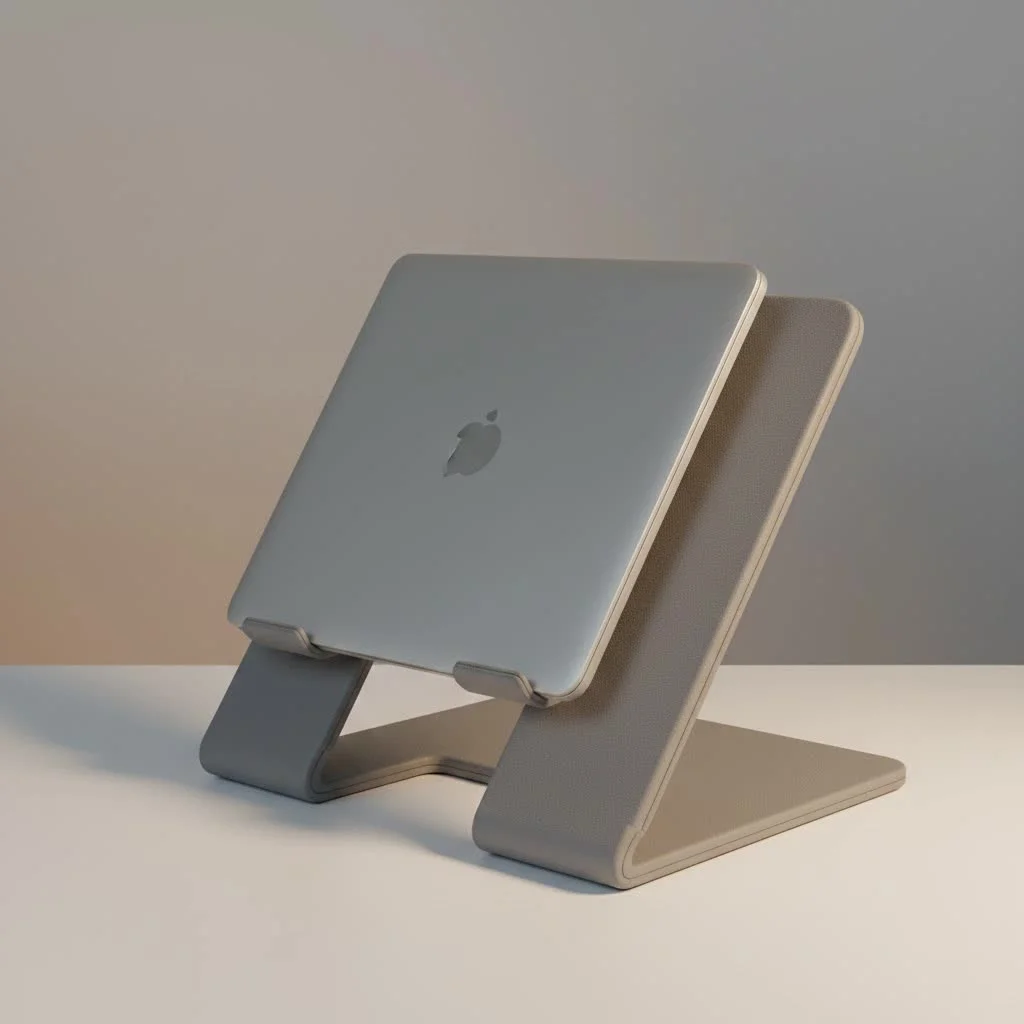
A portable laptop desk stand transforms any flat surface into an ergonomic and productive workspace by elevating your laptop’s screen to eye level, directly addressing poor posture and preventing common issues like “tech neck” and back pain. This simple device allows you to maintain a healthy posture, looking straight ahead at your screen rather than down, which is crucial for digital nomads, students, and remote workers.
What is a Portable Laptop Desk Stand?
A portable laptop desk stand is a lightweight, often foldable device designed to improve your laptop’s screen to eye level. Unlike a bulky, permanent monitor riser, its primary features are portability and adjustability. The goal is to allow you to maintain a healthy posture by looking straight ahead at your screen, rather than down, while using an external keyboard and mouse for optimal ergonomic alignment. It’s an essential tool for digital nomads, students, remote workers, and anyone who uses a laptop on the go.
Why You Absolutely Need a Portable Laptop Desk Stand
Investing in a quality portable laptop desk stand goes far beyond simple convenience. It’s a direct investment in your long-term health, focus, and efficiency. The benefits are so significant that once you start using one, you’ll wonder how you ever managed without it.
Championing Ergonomics and Your Health
The most critical benefit is the immediate improvement in your posture. Hunching over a laptop forces your spine and neck into an unnatural position, leading to chronic pain and stiffness. By raising your screen to the correct height, a stand encourages you to sit up straight, aligning your head, neck, and spine. This simple change can dramatically reduce muscle strain, prevent headaches, and decrease the risk of long-term repetitive strain injuries.
Boosting Productivity Anywhere
A comfortable worker is a productive worker. When you’re not constantly shifting to relieve discomfort, you can maintain focus for longer periods. A portable laptop desk stand creates a consistent, optimized setup no matter where you are. This ergonomic consistency helps you get into your workflow faster and stay in a state of deep work, whether you’re at a hot desk for a day or working from a hotel room for a week.
Preventing Laptop Overheating
Laptops rely on internal fans and vents to dissipate heat. When a laptop sits flat on a surface like a desk, or worse, a bed or sofa, its airflow is often restricted. This can cause the machine to overheat, leading to performance throttling and potentially shortening its lifespan. A stand elevates the laptop, allowing for 360-degree airflow that keeps your machine running cool and efficiently.
How to Choose the Perfect Portable Laptop Desk Stand
With a flood of options on the market, selecting the right stand can feel overwhelming. Focus on these key criteria to find the perfect match for your needs, your laptop, and your lifestyle.
Material Matters: Aluminum vs. Plastic vs. Wood
|
Our Picks for the Best Laptop Stand in 2026
As an Amazon Associate I earn from qualifying purchases.
|
||
| Num | Product | Action |
|---|---|---|
| 1 | Adjustable Laptop Stand, Computer Stand with 360 Rotating Base, Ergonomic Laptop Riser Mount for Desk Foldable Protable Computer Desk Fits with MacBook Pro Air (10-16\") - Black |

|
| 2 | Laptop Stand for Desk, Adjustable Laptop Riser ABS+Silicone Foldable Portable Notebook Holder, Ventilated Cooling Notebook Mount Computer Stand for 10-15.6” Laptops,Tablets-Black |
|
| 3 | BESIGN LS03 Aluminum Laptop Stand, Ergonomic Detachable Computer Stand, Riser Holder Notebook Stand Compatible with Air, Pro, Dell, HP, Lenovo More 10-15.6\" Laptops, Black |
|
| 4 | Adjustable Laptop Stand for Desk, Metal Foldable Laptop Riser Holder, Portable Desktop Book Stands, Ventilated Cooling Computer Notebook Stand Compatible with 10-15.6” Laptops |
|
| 5 | tounee Telescopic Laptop Stand for Desk with 360° Swivel Base, Sit to Stand, Height Adjustable, Portable Riser Holder for Good Posture, Compatible with MacBook Pro, All Laptops 10-17\"-Gray |
|
| 6 | Amazon Basics Sturdy and Portable Ergonomic Laptop Stand for Desk, Height Adjustable Riser with Ventilated Cooling, Foldable, Fits all Laptops up to 17.3 Inch, Silver, 10 x 8.7 x 6 in |
|
| 7 | BESIGN LS03 Aluminum Laptop Stand, Ergonomic Detachable Computer Stand, Notebook Riser Compatible with Air, Pro, Dell, HP, Lenovo More 10-15.6\" Laptops, Silver |
|
| 8 | acer Laptop Stand for Desk - with 360 Swivel Base, Rotating Laptop Riser for Desk, Adjustable Computer Stand for Laptops, Ergonomic Riser Holder Foldable, Portable MacBook Pro Air (10-16\") - Silver |
|
| 9 | OMOTON 360° Rotating Laptop Stand Riser for Desk, Ergonomic Foldable Computer Stand Adjustable Height Angles for Collaborative Work, Easy Storage Fit Macbooks,All Laptops up to 16 inches, Silver |
|
| 10 | Lamicall Adjustable Laptop Stand, Portable Laptop Riser, Aluminum Laptop Stand for Desk Foldable, Ergonomic Computer Notebook Stand Holder for MacBook Air Pro, Dell XPS, HP (10-17.3\'\') - Silver |
|
The material of your stand affects its weight, durability, and appearance.
- Aluminum Alloy: This is the most popular choice for a reason. It offers an excellent balance of strength and light weight, making it incredibly durable yet easy to carry. Aluminum stands also have a sleek, modern aesthetic and help dissipate heat from your laptop.
- ABS Plastic: High-quality plastic stands can be very lightweight and are often the most budget-friendly option. However, they may not feel as sturdy as their metal counterparts and might have lower weight capacities.
- Wood/Bamboo: Wooden stands offer a beautiful, natural aesthetic. They are sturdy but tend to be heavier and less adjustable than metal or plastic models, making them better suited for a semi-permanent home office setup.
Adjustability is Key
The core function of a laptop stand is to position your screen at eye level. Look for a portable laptop desk stand that offers multiple height and angle settings. This allows you to fine-tune the position for different chairs and desks, ensuring a perfect ergonomic setup every time. “Z-type” stands are particularly popular for their wide range of motion.
As ergonomist Dr. Alistair Finch notes, “The most significant ergonomic mistake modern professionals make is craning their neck down for hours. A portable laptop desk stand isn’t a luxury; it’s a fundamental tool for spinal health and sustained focus.”
Size and Weight Considerations
For a stand to be truly portable, it needs to be light and compact when folded. Check the product’s specifications for its collapsed dimensions and weight. Does it fold down flat enough to slip into your laptop bag? Is it light enough that you won’t be tempted to leave it behind? Also, ensure the stand is rated to support the size and weight of your specific laptop, from a 13-inch ultraportable to a 17-inch powerhouse.
Stability and Build Quality
A wobbly stand is a recipe for disaster. Look for features that enhance stability, such as non-slip silicone or rubber pads on the base and on the arms that hold the laptop. These prevent the stand from sliding on your desk and keep your expensive device securely in place. The overall build should feel solid, with firm hinges that don’t sag under the weight of your computer.
Getting the Most Out of Your Stand: A Quick Guide
Simply owning a stand isn’t enough; using it correctly is crucial for reaping the ergonomic rewards.
- Set the Right Height: Adjust the stand so that the top edge of your laptop screen is at or just slightly below your eye level. Your eyes should naturally gaze at the top third of the screen.
- Use an External Keyboard and Mouse: This is non-negotiable. Using the laptop’s built-in keyboard and trackpad while it’s on a stand will force your arms and wrists into an awkward, strained position. A separate keyboard and mouse allow your arms to rest comfortably on the desk.
- Position it Correctly: Place the stand about an arm’s length away from you. This ensures you’re not leaning in or straining your eyes to see the screen.
- Regular Maintenance: Periodically check that the hinges and screws are tight. Clean the non-slip pads to ensure they remain grippy and free of dust.
Frequently Asked Questions (FAQ)
Can a portable laptop stand damage my laptop?
No, a well-designed stand will not damage your laptop. In fact, it helps prevent damage by improving airflow and preventing overheating. Ensure the stand has soft, non-scratch silicone or rubber pads where it makes contact with your device.
Is a heavier stand always more stable?
Not necessarily. Stability comes from smart design, a low center of gravity, and effective anti-slip features. A well-engineered lightweight aluminum stand can be just as stable as a heavier, bulkier model.
How do I clean my portable laptop desk stand?
For most aluminum or plastic stands, a simple wipe-down with a damp cloth is all that’s needed. Avoid using harsh chemical cleaners. For wooden stands, use a dry or slightly damp microfiber cloth.
Can I use a portable laptop desk stand for a tablet or book?
Absolutely! Most stands are versatile enough to securely hold tablets, e-readers, or even thick textbooks, making them great for reading, watching movies, or following a recipe in the kitchen.
Are portable laptop stands allowed in carry-on luggage?
Yes, they are generally allowed in carry-on bags without any issue. Since they are typically made of aluminum or plastic, they pass through airport security scanners just like any other electronic accessory.
Your Partner in Health and Productivity
A portable laptop desk stand is more than just an accessory; it’s a fundamental component of a modern, healthy workspace. By elevating your screen, you protect your body from the strains of mobile work, allowing you to focus better, work longer, and feel great while doing it. It’s a small, simple change that delivers a powerful impact on your daily comfort and long-term well-being. Make the switch today and give your body the support it deserves.
Frequently Asked Questions
Can a portable laptop stand damage my laptop?
No, a well-designed portable laptop stand will not damage your laptop. In fact, it helps prevent damage by improving airflow and preventing overheating, which can extend your laptop's lifespan. Ensure the stand has soft, non-scratch silicone or rubber pads where it makes contact with your device.
Is a heavier portable laptop stand always more stable?
Not necessarily. Stability in a portable laptop stand comes from smart design, a low center of gravity, and effective anti-slip features, not just weight. A well-engineered lightweight aluminum stand can be just as stable as a heavier, bulkier model, supporting laptops from 13 to 17 inches securely.
How should I clean my portable laptop desk stand?
For most aluminum or plastic portable laptop desk stands, a simple wipe-down with a damp cloth is sufficient for cleaning. Avoid using harsh chemical cleaners that could damage the material. For wooden stands, use a dry or slightly damp microfiber cloth to maintain their finish.
Can a portable laptop desk stand be used for a tablet or book?
Absolutely! Most portable laptop desk stands are versatile enough to securely hold tablets, e-readers, or even thick textbooks. This makes them great for various uses beyond laptops, such as reading, watching movies, or following a recipe in the kitchen.
Are portable laptop stands permitted in carry-on luggage for flights?
Yes, portable laptop stands are generally allowed in carry-on bags without any issues when traveling by air. Since they are typically made of aluminum or plastic, they pass through airport security scanners just like any other electronic accessory, such as chargers or headphones.
Getting the Most Out of Your Portable Laptop Stand
To maximize the ergonomic and productivity benefits of your portable laptop desk stand, follow these crucial steps for correct setup and usage.
Adjust your portable laptop stand so that the top edge of your laptop screen is at or just slightly below your eye level. This ensures your eyes naturally gaze at the top third of the screen, preventing neck strain.
Always use a separate external keyboard and mouse when your laptop is on a stand. Using the built-in keyboard and trackpad in an elevated position will force your arms and wrists into an awkward, strained position, negating ergonomic benefits.
Place the portable laptop stand about an arm's length away from you on your desk. This optimal distance ensures you're not leaning in or straining your eyes to see the screen, promoting better posture and reducing eye fatigue.
Periodically check that the hinges and screws on your portable laptop stand are tight to maintain stability. Additionally, clean the non-slip pads to ensure they remain grippy and free of dust, securing your device in place.
Get our weekly buyer guide
Practical specs, not advice. Unsubscribe anytime.

I’ve been using a portable laptop desk stand for a few weeks now and it’s been a game-changer for my remote work setup. I used to get such bad tech neck by the end of the day, but elevating my screen to eye level has made a huge difference. It’s super easy to fold up and take with me when I work from different spots in the house or even a coffee shop. Definitely recommend for anyone struggling with posture!
I got one of these portable stands hoping to fix my posture, and it does help with elevating the screen. However, I found that some of the cheaper models in the under $30 price range felt a bit flimsy. It works, but I wish I had invested a little more for something sturdier. Still, it’s better than nothing for preventing tech neck.
As a student, I’m constantly moving my study spot, and this portable laptop desk stand has been a lifesaver. It’s so lightweight and adjustable, making it easy to set up my ergonomic workspace anywhere. No more hunching over my laptop for hours during study sessions. My neck and shoulders feel so much better!
This stand has really helped with my back pain from looking down at my laptop all day. I appreciate how it transforms any flat surface into a more ergonomic workspace. My only minor complaint is that it can be a little wobbly if I type too aggressively directly on the laptop keyboard, but with an external keyboard and mouse, it’s perfect. Great for digital nomads like me.