Working at a standing desk is a fantastic move for your health, but if you’re still hunching over your laptop, you’re only solving half the problem. The screen is too low, your neck is bent, and your shoulders are rounding forward. This is where a standing desk stand for laptop becomes not just an accessory, but an essential component of an ergonomic workstation. It elevates your screen to eye level, correcting your posture and unlocking the true potential of your standing desk setup.
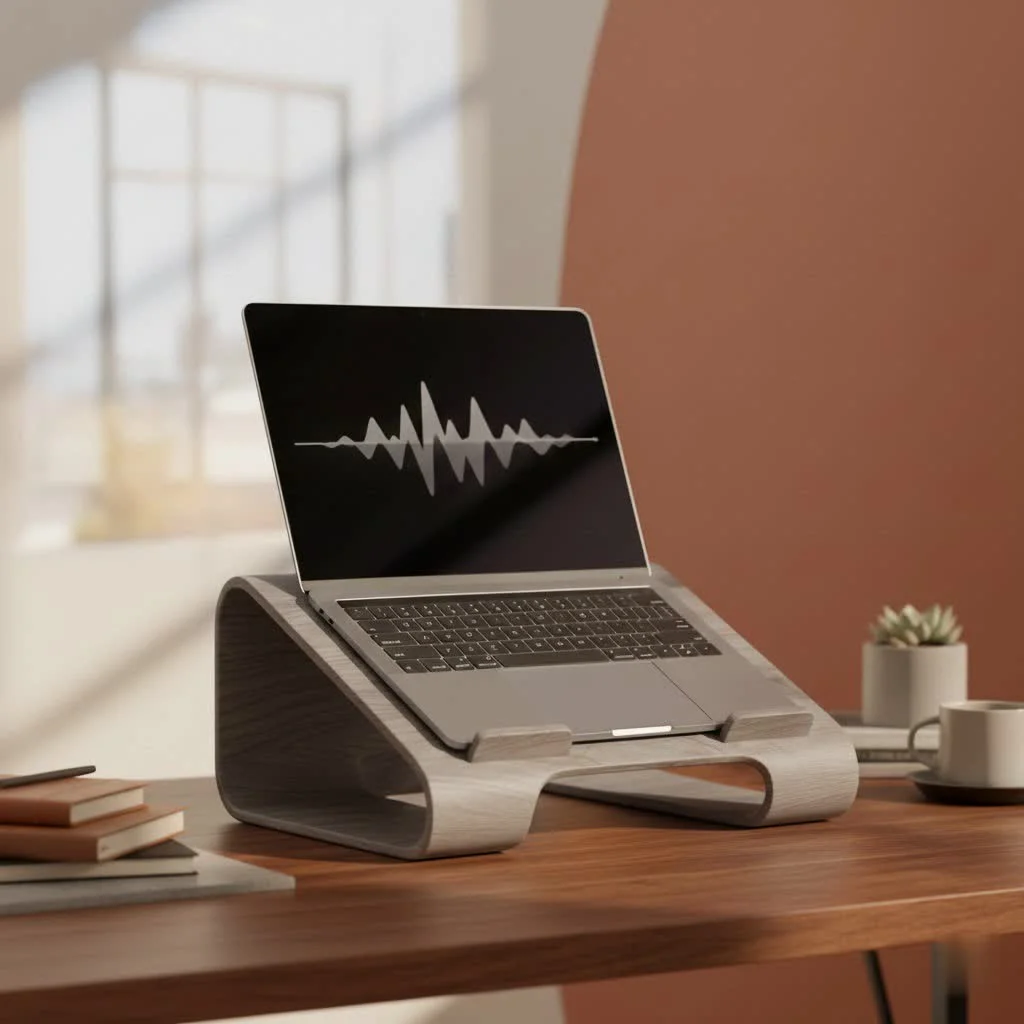
As the creative force behind Wweaw, with over a decade dedicated to ergonomic design, I’ve seen firsthand how this simple tool can revolutionize a workspace. It’s the missing link that transforms a good setup into a great one, ensuring you work comfortably and productively for hours on end. This guide will walk you through everything you need to know to find the perfect stand for your needs.
Why Your Standing Desk Needs a Dedicated Laptop Stand
You’ve already invested in a standing desk to improve your posture and well-being. So, why add another piece of equipment? The core issue lies in the fixed design of a laptop. The screen and keyboard are connected, meaning if your keyboard is at a comfortable typing height, your screen is inevitably too low.
Here’s what happens:
- Neck and Shoulder Strain: You crane your neck down to see the screen, leading to a condition often called “tech neck.” This puts immense strain on your cervical spine and surrounding muscles.
- Poor Posture: To compensate for the low screen, you’ll likely slouch your shoulders, undoing all the benefits of standing in the first place.
- Reduced Focus: Constant physical discomfort can be a major distraction, pulling your focus away from your work and decreasing your overall productivity.
A standing desk stand for laptop decouples your screen from your keyboard. By raising the laptop, it positions the screen at a proper ergonomic height, directly in your line of sight. This allows you to stand tall, with your head balanced naturally over your shoulders, all while using an external keyboard and mouse at a comfortable elbow height.
Types of Standing Desk Stands for Laptops
Laptop stands for standing desks come in various shapes and sizes, each catering to different needs. Understanding the main categories is the first step toward making an informed choice.
Fixed-Height Risers
These are simple, non-adjustable stands designed to elevate your laptop by a predetermined height. They are often sleek, minimalist, and made from materials like aluminum or wood.
- Best for: Users who have a consistent setup and know the exact height they need. They are great for creating a clean, permanent workstation.
- Considerations: The lack of adjustability can be a downside if multiple people use the desk or if you like to tweak your setup.
Adjustable Stands
|
Our Picks for the Best Laptop Stand in 2026
As an Amazon Associate I earn from qualifying purchases.
|
||
| Num | Product | Action |
|---|---|---|
| 1 | acer Laptop Stand for Desk - with 360 Swivel Base, Rotating Laptop Riser for Desk, Adjustable Computer Stand for Laptops, Ergonomic Riser Holder Foldable, Portable MacBook Pro Air (10-16\") - Silver |

|
| 2 | Laptop Stand for Desk, Adjustable Laptop Riser ABS+Silicone Foldable Portable Notebook Holder, Ventilated Cooling Notebook Mount Computer Stand for 10-15.6” Laptops,Tablets-Black |
|
| 3 | OMOTON 360° Rotating Laptop Stand Riser for Desk, Ergonomic Foldable Computer Stand Adjustable Height Angles for Collaborative Work, Easy Storage Fit Macbooks,All Laptops up to 16 inches, Silver |
|
| 4 | BESIGN LS03 Aluminum Laptop Stand, Ergonomic Detachable Computer Stand, Notebook Riser Compatible with Air, Pro, Dell, HP, Lenovo More 10-15.6\" Laptops, Silver |
|
| 5 | tounee Telescopic Laptop Stand for Desk with 360° Swivel Base, Sit to Stand, Height Adjustable, Portable Riser Holder for Good Posture, Compatible with MacBook Pro, All Laptops 10-17\"-Gray |
|
| 6 | Adjustable Laptop Stand, Computer Stand with 360 Rotating Base, Ergonomic Laptop Riser Mount for Desk Foldable Protable Computer Desk Fits with MacBook Pro Air (10-16\") - Black |
|
| 7 | BESIGN LS03 Aluminum Laptop Stand, Ergonomic Detachable Computer Stand, Riser Holder Notebook Stand Compatible with Air, Pro, Dell, HP, Lenovo More 10-15.6\" Laptops, Black |
|
| 8 | Amazon Basics Sturdy and Portable Ergonomic Laptop Stand for Desk, Height Adjustable Riser with Ventilated Cooling, Foldable, Fits all Laptops up to 17.3 Inch, Silver, 10 x 8.7 x 6 in |
|
| 9 | Lamicall Adjustable Laptop Stand, Portable Laptop Riser, Aluminum Laptop Stand for Desk Foldable, Ergonomic Computer Notebook Stand Holder for MacBook Air Pro, Dell XPS, HP (10-17.3\'\') - Silver |
|
| 10 | Adjustable Laptop Stand for Desk, Metal Foldable Laptop Riser Holder, Portable Desktop Book Stands, Ventilated Cooling Computer Notebook Stand Compatible with 10-15.6” Laptops |
|
The most popular and versatile option, adjustable stands allow you to fine-tune the height and often the angle of your laptop. They typically use mechanisms like friction hinges or gas springs.
- Best for: Almost everyone. The ability to customize the height ensures perfect ergonomic alignment. They are ideal for hot-desking, shared workspaces, or users who switch between sitting and standing frequently.
- Considerations: More moving parts can mean slightly less stability than a fixed stand, though high-quality models are exceptionally sturdy.
Standing Desk Converters
These are larger platforms that sit on top of your existing desk and can be raised or lowered. They transform a regular sitting desk into a standing one, but they also serve as an excellent, robust standing desk stand for laptop setups. They provide space not just for your laptop but also for an external keyboard, mouse, and other accessories on a single, adjustable surface.
- Best for: Users who need a comprehensive, all-in-one solution or those who want to convert a sitting desk without replacing it.
- Considerations: They are bulkier and less portable than other stands and typically come at a higher price point.
How to Choose the Perfect Stand for Your Laptop
Selecting the right stand involves more than just picking a style. You need to consider how it integrates with your specific laptop, desk, and work habits.
Adjustability and Ergonomics
The primary goal is to achieve an ergonomic posture. Look for a stand that can position the top of your laptop screen at or slightly below your eye level.
- Height Range: Check the minimum and maximum height settings. Ensure the range is sufficient for your body height when you are standing.
- Angle Adjustment: The ability to tilt the laptop can help reduce glare and further customize your viewing angle. However, for a standing desk setup where you’ll use an external keyboard, a flat, stable platform is often more important.
Stability and Material
Your stand must be sturdy enough to securely hold your expensive laptop. A wobbly stand is a recipe for disaster and a constant distraction.
- Material: Aluminum and steel are excellent choices for durability and stability. Wood can offer a premium aesthetic but ensure it’s high-quality and well-constructed.
- Build Quality: Look for features like non-slip silicone or rubber pads on the surface and base to keep your laptop in place and protect your desk from scratches.
- Weight Capacity: Verify that the stand can easily support the weight of your laptop, especially if you have a larger, heavier model.
As product designer Alex Rowan often states, “A laptop stand’s first job is to be forgotten. It should be so stable and integrated into your workflow that you never have to think or worry about the expensive device it’s holding.”
Portability and Footprint
Consider where and how you work. Do you need a stand that can travel with you, or will it live permanently on your desk?
- Foldability: If you commute or travel, a lightweight, foldable stand is essential. Some can collapse into a small, portable stick.
- Footprint: On your desk, how much space will the stand occupy? A stand with a smaller base can free up valuable desk real estate for notebooks, chargers, and other accessories.
Setting Up Your Stand for Optimal Ergonomics
Once you have your standing desk stand for laptop, proper setup is key. Follow these steps for the best results:
- Position Your External Keyboard and Mouse: Place your keyboard and mouse on the desk surface at a height where your elbows are bent at a comfortable 90-degree angle, with your wrists straight.
- Adjust the Stand Height: Place your laptop on the stand and adjust its height. The top of the screen should be level with your eyes. You should be able to look at the center of the screen by lowering your gaze slightly, without tilting your head.
- Set the Distance: The screen should be about an arm’s length away from your face. This helps reduce eye strain.
- Check Your Posture: Stand with your feet shoulder-width apart. Your shoulders should be relaxed, your head should be balanced over your spine, and your wrists should be in a neutral position while typing. Make small adjustments until you feel comfortable and supported.
Frequently Asked Questions (FAQ)
What is the ideal height for a laptop stand on a standing desk?
The ideal height places the top edge of your laptop screen at or just below your eye level. This allows you to keep your head and neck in a neutral, upright position, preventing you from looking down and straining your spine.
Can I just use a stack of books instead of a laptop stand?
While a stack of books can raise your screen, it’s not an ideal long-term solution. Books are often unstable, lack ventilation for your laptop’s cooling system, and offer no adjustability, making it difficult to achieve a precise ergonomic height.
Are laptop converters better than simple stands?
A converter is better if you need a solution for your laptop, an external monitor, a keyboard, and a mouse all on one adjustable platform. For a simple laptop-only setup with an external keyboard, an adjustable stand is more space-efficient and cost-effective.
How do I ensure my laptop doesn’t overheat on a stand?
Most well-designed stands improve airflow. Look for models with a ventilated or open-air design that allows your laptop’s fans to work efficiently. Avoid stands with solid surfaces that could trap heat against the bottom of your machine.
Is a standing desk stand for a laptop good for posture?
Absolutely. It is one of the most effective tools for improving posture in a standing desk setup. By elevating the screen to eye level, it prevents neck craning and shoulder slouching, encouraging a natural, upright stance.
Conclusion: Elevate Your Work Experience
A standing desk stand for laptop is a small investment that pays huge dividends in comfort, health, and productivity. By correcting the fundamental ergonomic flaw of a laptop, it allows you to fully embrace the benefits of your standing desk. You can say goodbye to neck pain, shoulder strain, and the posture problems that come from hunching over a low screen.
When choosing your stand, prioritize stability, adjustability, and a design that fits your workflow. Once you experience the difference of working with your screen at the proper height, you’ll wonder how you ever managed without it. Elevate your laptop, and in turn, elevate your entire workday.
Get our weekly buyer guide
Practical specs, not advice. Unsubscribe anytime.
