You’ve embraced the standing desk revolution, ditching sedentary habits for a more active workday. That’s fantastic! But here’s a secret many overlook: simply standing isn’t enough if you’re hunching over a laptop. To truly unlock the full potential of your dynamic workstation, an essential piece of the puzzle is a high-quality laptop stand for standing desk use. It’s the critical link between your laptop’s compact design and optimal ergonomic posture, transforming your setup from good to truly great.
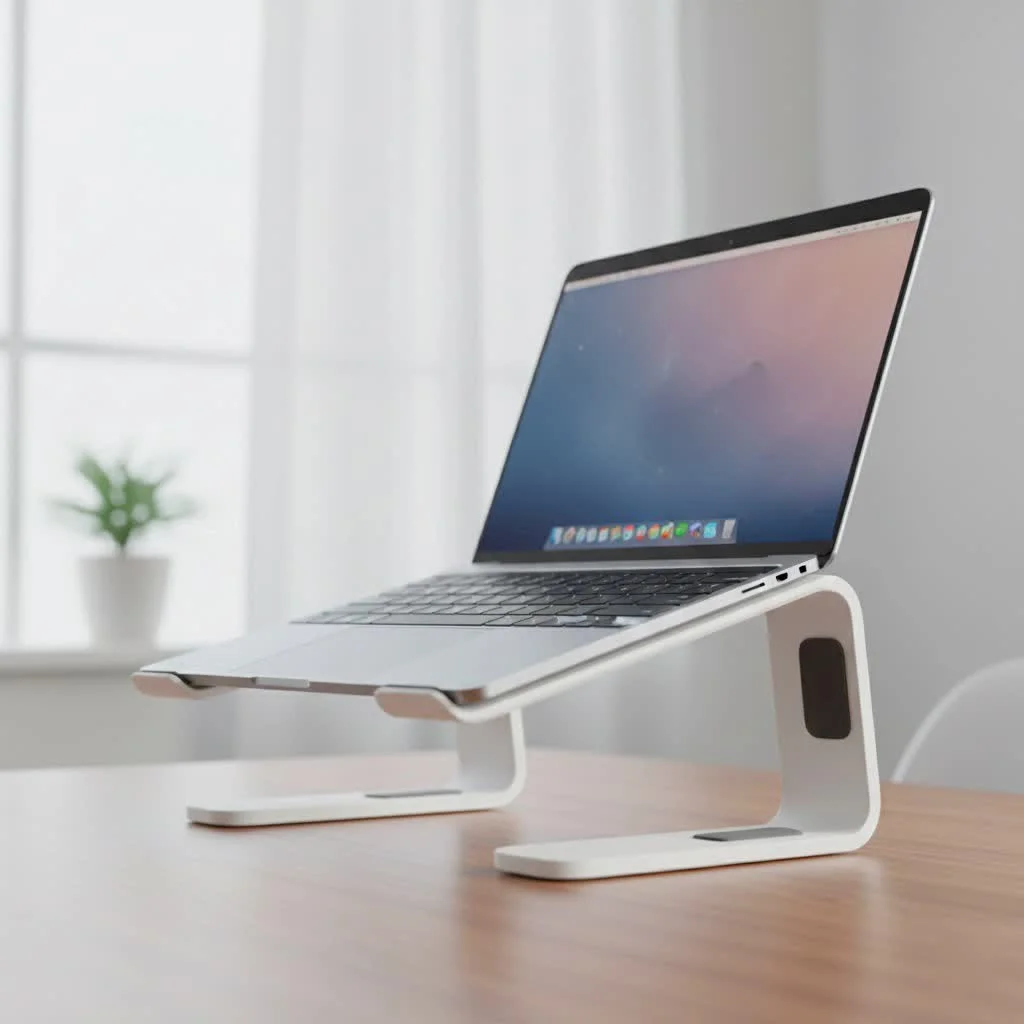
Laptops, by their very nature, are designed for portability, not always for prolonged ergonomic comfort. When placed flat on any surface, including a standing desk, they force your head, neck, and shoulders into unnatural positions. This article will guide you through why a laptop stand for standing desk is non-negotiable, what to look for, and how to set up your workspace for peak health and productivity.
Why Your Standing Desk Needs a Laptop Stand: The Ergonomic Imperative
Even with the best standing desk, a laptop can still compromise your posture. The integrated screen and keyboard mean that if your screen is at eye level, your hands are too high, and if your hands are comfortable, your screen is too low. A laptop stand elegantly solves this dilemma.
What is “tech neck” and how does a laptop stand prevent it?
“Tech neck” refers to the strain caused by consistently looking down at screens, leading to neck pain, stiffness, and even long-term spinal issues. A laptop stand for standing desk setups prevents this by elevating your laptop’s screen to your eye level, promoting a neutral neck and spine alignment, whether you’re sitting or standing.
How does a laptop stand improve posture at a standing desk?
By raising your laptop screen, a laptop stand encourages the use of external peripherals like a keyboard and mouse. This separation allows you to position your screen at eye level while keeping your hands, wrists, and forearms in a natural, comfortable typing position at elbow height. This simple adjustment reduces strain on your shoulders, back, and wrists, making your standing desk experience genuinely ergonomic.
Beyond Posture: Other Health Benefits
The ergonomic advantages extend beyond just preventing “tech neck” and hunching. Proper screen positioning also minimizes eye strain, a common complaint for those spending hours in front of a computer. Furthermore, a well-aligned workstation encourages you to move more naturally throughout your day, facilitating seamless transitions between sitting and standing, which is the core philosophy of a standing desk. This dynamic movement is vital for reducing the risks associated with prolonged static postures.
The Unsung Heroes: Beyond Ergonomics (Additional Benefits)
While ergonomics are paramount, a laptop stand for standing desk solutions offers a suite of other practical benefits that enhance your overall computing experience.
Keeping Your Laptop Cool Under Pressure
|
Our Picks for the Best Laptop Stand in 2026
As an Amazon Associate I earn from qualifying purchases.
|
||
| Num | Product | Action |
|---|---|---|
| 1 | Adjustable Laptop Stand, Computer Stand with 360 Rotating Base, Ergonomic Laptop Riser Mount for Desk Foldable Protable Computer Desk Fits with MacBook Pro Air (10-16\") - Black |

|
| 2 | BESIGN LS03 Aluminum Laptop Stand, Ergonomic Detachable Computer Stand, Riser Holder Notebook Stand Compatible with Air, Pro, Dell, HP, Lenovo More 10-15.6\" Laptops, Black |
|
| 3 | Lamicall Adjustable Laptop Stand, Portable Laptop Riser, Aluminum Laptop Stand for Desk Foldable, Ergonomic Computer Notebook Stand Holder for MacBook Air Pro, Dell XPS, HP (10-17.3\'\') - Silver |
|
| 4 | Amazon Basics Sturdy and Portable Ergonomic Laptop Stand for Desk, Height Adjustable Riser with Ventilated Cooling, Foldable, Fits all Laptops up to 17.3 Inch, Silver, 10 x 8.7 x 6 in |
|
| 5 | BESIGN LS03 Aluminum Laptop Stand, Ergonomic Detachable Computer Stand, Notebook Riser Compatible with Air, Pro, Dell, HP, Lenovo More 10-15.6\" Laptops, Silver |
|
| 6 | tounee Telescopic Laptop Stand for Desk with 360° Swivel Base, Sit to Stand, Height Adjustable, Portable Riser Holder for Good Posture, Compatible with MacBook Pro, All Laptops 10-17\"-Gray |
|
| 7 | OMOTON 360° Rotating Laptop Stand Riser for Desk, Ergonomic Foldable Computer Stand Adjustable Height Angles for Collaborative Work, Easy Storage Fit Macbooks,All Laptops up to 16 inches, Silver |
|
| 8 | Laptop Stand for Desk, Adjustable Laptop Riser ABS+Silicone Foldable Portable Notebook Holder, Ventilated Cooling Notebook Mount Computer Stand for 10-15.6” Laptops,Tablets-Black |
|
| 9 | acer Laptop Stand for Desk - with 360 Swivel Base, Rotating Laptop Riser for Desk, Adjustable Computer Stand for Laptops, Ergonomic Riser Holder Foldable, Portable MacBook Pro Air (10-16\") - Silver |
|
| 10 | Adjustable Laptop Stand for Desk, Metal Foldable Laptop Riser Holder, Portable Desktop Book Stands, Ventilated Cooling Computer Notebook Stand Compatible with 10-15.6” Laptops |
|
Laptops are notorious for overheating, especially during prolonged use or when placed on soft, insulating surfaces. Most laptop stands feature open designs, perforated platforms, or even built-in fans. This increased airflow prevents your device from getting too hot, which can improve performance and significantly extend your laptop’s lifespan by reducing thermal stress on internal components.
Declutter Your Digital Domain
A tidy workspace often translates to a clear mind. Many laptop stands elevate your device enough to create valuable storage space underneath for an external keyboard, mouse, or documents. Some even come with integrated cable management features, keeping your standing desk neat and free from tangled wires, contributing to a more organized and aesthetically pleasing work environment.
Boost Your Productivity and Professionalism
When your body is comfortable and your workspace is organized, your focus naturally improves. Reduced physical discomfort means fewer distractions, allowing you to concentrate more effectively on tasks. Moreover, by elevating your laptop, your webcam is positioned at eye level, making you appear more professional and engaged during video calls – a small but significant detail in today’s remote-first world.
Choosing Your Champion: What to Look for in a Laptop Stand for a Standing Desk
With countless options available, selecting the right laptop stand for standing desk use can feel overwhelming. Here’s what truly matters:
Adjustability is King: Height and Angle
The hallmark of an excellent laptop stand for a standing desk is its adjustability. Look for models that offer a wide range of height and angle settings. This flexibility is crucial for matching your laptop screen to your eye level, whether you’re sitting or standing, and accommodating different user heights and desk setups. Seamless, tool-free adjustment mechanisms are a huge plus for effortless transitions throughout your workday.
Material Matters: Durability and Heat Dissipation
The construction material plays a big role in both stability and cooling.
- Aluminum stands are popular for their excellent heat dissipation properties, often matching the aesthetic of modern laptops. They are lightweight yet sturdy.
- Steel stands offer supreme durability and stability, making them ideal for heavier laptops or those who prioritize a rock-solid feel.
- While plastic or acrylic stands can be budget-friendly, ensure they are robust enough to securely hold your device without wobbling.
Stability and Security
A wobbly laptop stand is not just annoying; it’s a hazard. Ensure the stand you choose has a broad, heavy base or a secure clamping mechanism if it’s a desk-mounted arm. Non-slip silicone pads on both the base and the laptop platform are essential to prevent sliding and protect your device from scratches.
Portable Powerhouse or Stationary Sentinel?
Consider how you work. If your standing desk is your primary, unchanging workstation, a more robust, stationary stand might be ideal. However, if you often move your laptop between different locations or even different rooms in your home, a lightweight, foldable laptop stand for standing desk compatibility offers unparalleled versatility and convenience.
Cooling Features: Vents, Fans, and Open Designs
As discussed, preventing overheating is key. Check for stands with strategically placed vents or a perforated surface to promote airflow. Some advanced models even include built-in cooling fans, which can be particularly beneficial for power users or those with laptops prone to running hot.
Setting Up for Success: Your Laptop Stand Workflow
Having the perfect laptop stand for standing desk is only half the battle; knowing how to integrate it into your workflow is the other.
The External Peripherals Rule
This is non-negotiable: when your laptop is elevated on a stand, you must use an external keyboard and mouse. Trying to type on the laptop’s built-in keyboard in an elevated position will quickly negate all ergonomic benefits, leading to wrist and shoulder strain.
Finding Your Ergonomic Sweet Spot
To achieve optimal posture:
- Screen Height: The top of your laptop screen should be roughly at eye level. This allows you to view the screen comfortably without bending your neck up or down.
- Arm Position: When using your external keyboard, your forearms should be roughly parallel to the floor, with your elbows bent at about a 90-degree angle, close to your body.
- Distance: Ensure your screen is an arm’s length away from your face to reduce eye strain.
Regular Movement: The Standing Desk Philosophy
Remember that the goal of a standing desk, complemented by a laptop stand for standing desk, is dynamic movement. Don’t just stand all day. Alternate between sitting and standing every 30-60 minutes. Your laptop stand should be easily adjustable to accommodate these transitions without disrupting your flow.
“Integrating a high-quality laptop stand into your standing desk setup isn’t just an accessory; it’s a foundational step towards unlocking true ergonomic comfort and sustained productivity. Your body will thank you.” – Dr. Anya Sharma, Lead Ergonomics Specialist at Wweaw.com.
Wweaw’s Top Picks: Recommended Laptop Stands for Standing Desks
At Wweaw.com, we understand that every user has unique needs. Here are a few categories of laptop stands we consistently recommend for standing desk users:
- The Highly Adjustable Wonder: For ultimate flexibility, look for Z-shaped or multi-jointed aluminum stands. These offer precise height and angle customization, allowing you to fine-tune your setup to perfection, whether you’re 5’2″ or 6’5″.
- The Portable Powerhouse: If you’re a digital nomad or work from various locations, a lightweight, foldable stand that collapses into a compact form is your best friend. Despite their portability, many still offer excellent stability and adjustability for ergonomic comfort on the go.
- The Heavy-Duty Hero: For those with larger, heavier laptops or a need for rock-solid stability, a robust steel or thick aluminum stand with a broad base is ideal. These stands often provide superior ventilation and unwavering support.
Frequently Asked Questions (FAQ)
Do I really need a laptop stand for my standing desk?
Absolutely! While a standing desk helps with overall movement, a laptop stand is crucial for achieving proper ergonomic posture for your neck, back, and eyes, preventing strain from looking down at your laptop screen.
What’s the ideal height for a laptop stand on a standing desk?
The ideal height is when the top of your laptop screen aligns with your eye level, allowing you to view it comfortably without tilting your head up or down. This will vary based on your height and the height of your standing desk.
Can a laptop stand help with “tech neck”?
Yes, a laptop stand is one of the most effective tools against “tech neck.” By elevating your screen, it helps maintain a neutral head and neck position, reducing the strain caused by prolonged downward gazing.
Are all laptop stands good for cooling?
Most laptop stands, especially those with open designs or perforated surfaces, improve airflow and help cool your laptop. However, some are specifically designed with larger vents or built-in fans for enhanced cooling.
Should I use an external keyboard and mouse with a laptop stand?
Yes, it is highly recommended. Elevating your laptop for screen height requires you to use an external keyboard and mouse to maintain proper wrist and arm posture and prevent discomfort.
How do I maintain my laptop stand?
Most laptop stands require minimal maintenance. Regularly wipe them down with a damp cloth to remove dust. Check adjustable joints for smooth operation and ensure any rubber pads remain securely in place for optimal stability.
Conclusion
Embracing a standing desk is a fantastic step towards a healthier, more productive work life. But don’t let your laptop compromise that progress. Investing in a quality laptop stand for standing desk use is an investment in your long-term health, comfort, and efficiency. It’s the ergonomic foundation that allows you to seamlessly integrate your laptop into a dynamic workstation, preventing aches, boosting performance, and keeping your focus sharp. Make the smart choice today and transform your standing desk experience into one that truly supports your well-being. For more expert insights and product recommendations, make sure to visit wweaw.com.
Get our weekly buyer guide
Practical specs, not advice. Unsubscribe anytime.
