In the world of digital DJing, your laptop is the heart of your setup. It holds your music library, runs your software, and processes every beat you drop. But simply placing it on the same surface as your decks is a recipe for disaster. That’s where a dedicated DJ laptop stand comes in. It’s not just an accessory; it’s an essential piece of equipment that enhances ergonomics, protects your gear, and streamlines your workflow for a more professional performance. Whether you’re a seasoned pro playing in packed clubs or a bedroom DJ honing your craft, the right stand can make all the difference.
This comprehensive guide, brought to you by the experts at Wweaw, will walk you through everything you need to know about choosing, using, and maximizing the benefits of a DJ laptop stand.
Why Do You Absolutely Need a DJ Laptop Stand?
Placing your laptop on a stand isn’t about aesthetics; it’s about functionality and safety. A good DJ laptop stand elevates your screen to eye level, preventing you from hunching over during long sets. This simple adjustment can dramatically reduce neck and back strain, allowing you to focus on your mix, not your discomfort.
Furthermore, a stand creates crucial separation between your laptop and the vibrating surface of the DJ booth. The intense bass and vibrations from subwoofers can travel through the table and rattle your laptop’s sensitive internal components, potentially leading to hard drive damage or performance glitches. A sturdy stand isolates your computer from these harmful vibrations. It also lifts your expensive gear away from the all-too-common threat of spilled drinks, a notorious hazard in any party environment.
The Most Common Types of DJ Laptop Stands
Not all stands are created equal. The market offers a variety of designs, each tailored to different needs and performance styles. Understanding the main types is the first step toward finding your perfect match.
Adjustable Height and Angle Stands
These are the most versatile and popular options. They allow you to customize the height and tilt of your laptop, ensuring optimal screen visibility and ergonomic positioning. Most models can be set up to place the laptop screen directly above your mixer or controller, saving valuable table space and keeping your workflow tight. Look for models with secure locking mechanisms to prevent slipping during a performance.
Fixed-Frame or C-Shape Stands
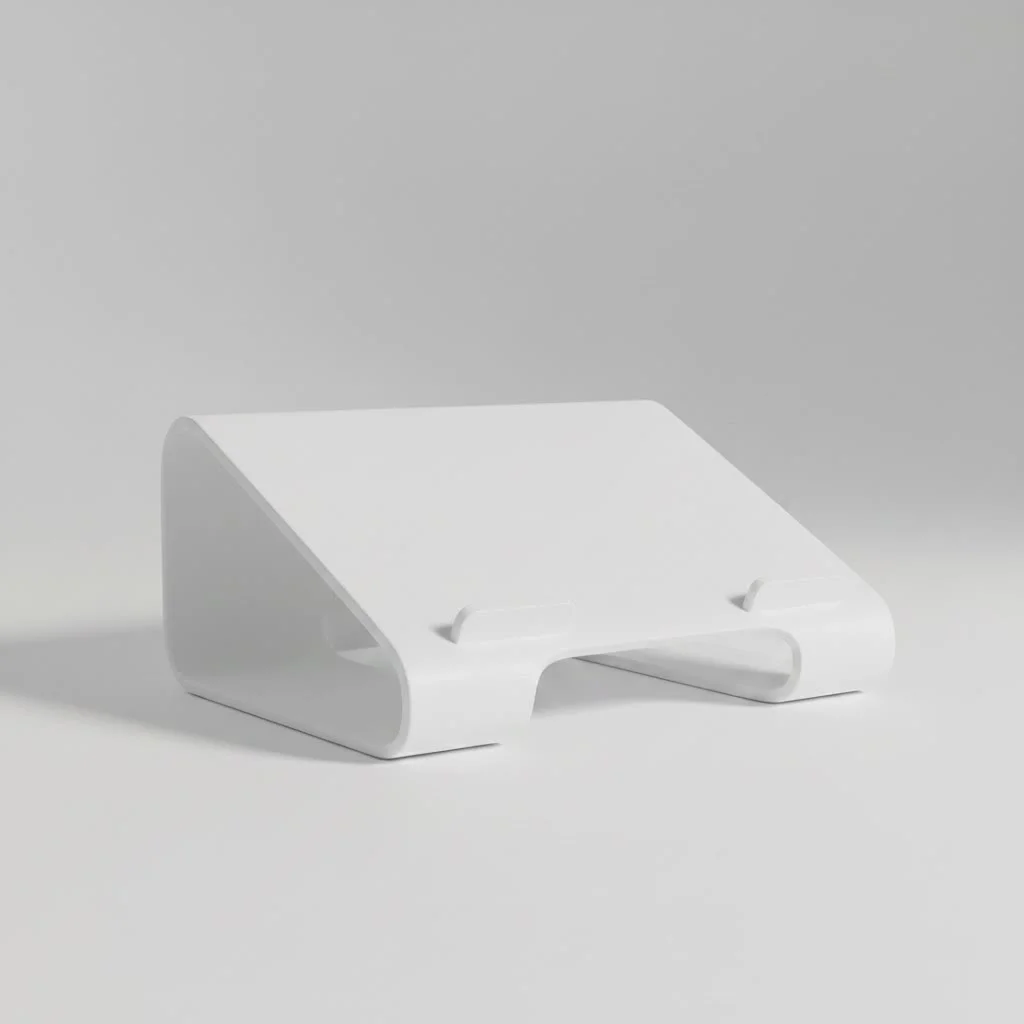
Simple, robust, and incredibly stable, fixed-frame stands are a go-to for many DJs. They are typically constructed from a single piece of metal, bent into a “C” shape. While they lack the adjustability of other models, their minimalist design is incredibly reliable. You just set it down, place your laptop on top, and you’re ready to go. Their design also allows you to slide the base under your mixer or controller, bringing the laptop closer to you.
Portable and Folding Stands
|
Our Picks for the Best Laptop Stand in 2026
As an Amazon Associate I earn from qualifying purchases.
|
||
| Num | Product | Action |
|---|---|---|
| 1 | Laptop Stand for Desk, Adjustable Laptop Riser ABS+Silicone Foldable Portable Notebook Holder, Ventilated Cooling Notebook Mount Computer Stand for 10-15.6” Laptops,Tablets-Black |

|
| 2 | BESIGN LS03 Aluminum Laptop Stand, Ergonomic Detachable Computer Stand, Notebook Riser Compatible with Air, Pro, Dell, HP, Lenovo More 10-15.6\" Laptops, Silver |
|
| 3 | tounee Telescopic Laptop Stand for Desk with 360° Swivel Base, Sit to Stand, Height Adjustable, Portable Riser Holder for Good Posture, Compatible with MacBook Pro, All Laptops 10-17\"-Gray |
|
| 4 | BESIGN LS03 Aluminum Laptop Stand, Ergonomic Detachable Computer Stand, Riser Holder Notebook Stand Compatible with Air, Pro, Dell, HP, Lenovo More 10-15.6\" Laptops, Black |
|
| 5 | OMOTON 360° Rotating Laptop Stand Riser for Desk, Ergonomic Foldable Computer Stand Adjustable Height Angles for Collaborative Work, Easy Storage Fit Macbooks,All Laptops up to 16 inches, Silver |
|
| 6 | acer Laptop Stand for Desk - with 360 Swivel Base, Rotating Laptop Riser for Desk, Adjustable Computer Stand for Laptops, Ergonomic Riser Holder Foldable, Portable MacBook Pro Air (10-16\") - Silver |
|
| 7 | Amazon Basics Sturdy and Portable Ergonomic Laptop Stand for Desk, Height Adjustable Riser with Ventilated Cooling, Foldable, Fits all Laptops up to 17.3 Inch, Silver, 10 x 8.7 x 6 in |
|
| 8 | Lamicall Adjustable Laptop Stand, Portable Laptop Riser, Aluminum Laptop Stand for Desk Foldable, Ergonomic Computer Notebook Stand Holder for MacBook Air Pro, Dell XPS, HP (10-17.3\'\') - Silver |
|
| 9 | Adjustable Laptop Stand, Computer Stand with 360 Rotating Base, Ergonomic Laptop Riser Mount for Desk Foldable Protable Computer Desk Fits with MacBook Pro Air (10-16\") - Black |
|
| 10 | Adjustable Laptop Stand for Desk, Metal Foldable Laptop Riser Holder, Portable Desktop Book Stands, Ventilated Cooling Computer Notebook Stand Compatible with 10-15.6” Laptops |
|
For the traveling DJ, portability is paramount. Folding stands are designed to collapse into a compact, lightweight package that fits easily into a backpack or gig bag. While they are incredibly convenient, it’s crucial to check their stability. The best portable models use high-quality materials like aircraft-grade aluminum to provide a solid base without adding excess weight.
Stands with an Extra Shelf
Some advanced stands come equipped with a secondary shelf. This is an incredibly useful feature for DJs who incorporate additional gear into their sets, such as a small controller, an audio interface, a sampler, or an effects unit. This all-in-one solution helps keep your entire setup organized and within easy reach, minimizing clutter in the booth.
How to Choose the Right DJ Laptop Stand for You
With so many options available, selecting the perfect stand can feel overwhelming. Focus on these key factors to narrow down your choices and make an informed decision.
1. Stability is Non-Negotiable
The primary job of a DJ laptop stand is to hold your computer securely. Look for stands made from durable materials like steel or aluminum, not flimsy plastic. Check the weight capacity to ensure it can handle your laptop. Wide, non-slip rubber feet are essential for gripping the surface and preventing the stand from sliding around, especially in a high-energy environment.
“In my 15 years of DJing, I’ve seen laptops fall because of cheap, unstable stands. Don’t risk your most important piece of gear to save a few dollars. A rock-solid stand is an investment in peace of mind.” – Alex Carter, Professional DJ and Gear Reviewer
2. Portability and Weight
If you’re constantly moving from one gig to another, a heavy, bulky stand will quickly become a nuisance. Look for a balance between sturdiness and portability. Lightweight aluminum stands that fold down into an included carrying case are often the best choice for mobile DJs. If you have a residency or a home studio, a heavier steel stand might be preferable for its added stability.
3. Adjustability and Ergonomics
Can you set the stand to the perfect height and angle for your setup? Your laptop screen should be at eye level to promote good posture. The ability to tilt the keyboard can also improve your access to your controller or mixer. A highly adjustable stand allows you to adapt to different booth layouts and personal preferences, which is crucial for maintaining comfort and focus during multi-hour sets.
4. Size and Compatibility
Measure your laptop before you buy a stand. Ensure the stand’s platform is wide and deep enough to support your device without it hanging off the edges. Also, consider the overall footprint of the stand. Will it fit in a cramped DJ booth? Does its base design allow it to be positioned effectively with the rest of your gear, like turntables, CDJs, or a controller?
5. Material and Build Quality
- Steel: Extremely durable and stable, but also heavier. Ideal for permanent installations or DJs who prioritize stability above all else.
- Aluminum: Offers an excellent strength-to-weight ratio. It’s strong enough to be reliable yet light enough for easy transport, making it the most popular choice for gigging DJs.
- Plastic: Generally, avoid all-plastic stands. While cheap, they often lack the stability and durability required for a professional setting.
Setting Up and Maintaining Your Stand
Proper use is just as important as choosing the right model. Always set up your stand on a flat, level surface. When adjusting the height or angle, make sure all clamps and locking pins are securely fastened before placing your laptop on it.
For folding stands, practice assembling and disassembling them a few times at home so you can do it quickly and correctly at a gig. After each use, wipe down the stand to remove any dust or spilled liquids. Check for loose screws or worn-out rubber pads periodically and replace them if necessary to ensure continued stability.
Frequently Asked Questions (FAQ)
What is the ideal height for a DJ laptop stand?
The ideal height places the top of your laptop screen at or slightly below your eye level. This prevents you from craning your neck down or up, reducing strain. Most DJs position their stand so the laptop sits just above the mixer or controller.
Can I use a regular office laptop stand for DJing?
While you can, it’s generally not recommended. Office stands are designed for static desk environments and often lack the robust stability needed to withstand the vibrations and dynamic setting of a DJ booth. A dedicated DJ laptop stand is built to be more durable and secure.
How do I stop my laptop stand from wobbling?
First, ensure you’re on a stable, level surface. Second, make sure all adjustable parts are fully tightened. If it still wobbles, the stand itself may be poorly designed or made from flimsy materials. Investing in a higher-quality stand made from steel or thick aluminum is the best solution.
Are heavier stands always better?
Heavier stands, typically made of steel, do tend to be more stable. However, modern designs using high-grade aluminum can offer comparable stability at a fraction of the weight, making them a better choice for DJs who need portability.
Does a laptop stand help with laptop overheating?
Yes, it absolutely does. By lifting your laptop off a flat surface, a stand significantly improves airflow around its chassis. This passive cooling helps prevent your laptop from overheating during a long performance, which is critical for avoiding software crashes and CPU throttling.
Conclusion: Elevate Your Performance
A DJ laptop stand is a foundational component of the modern digital DJ setup. It protects your valuable equipment from vibrations and spills, improves your posture and reduces fatigue, and optimizes your workspace for a smoother, more professional workflow. By considering the crucial factors of stability, portability, adjustability, and build quality, you can find the perfect stand to support your gear and elevate your performance. Don’t overlook this essential tool—your back, your laptop, and your audience will thank you.
Get our weekly buyer guide
Practical specs, not advice. Unsubscribe anytime.
