A professional DJ laptop stand is an essential piece of gear that enhances workflow, protects equipment, and improves stage presence for DJs. For over a decade, these stands have proven to provide crucial stability and ergonomic comfort, allowing DJs to focus on their music. They elevate the laptop to eye level, promote healthier posture, and secure the device from potential hazards in chaotic DJ booths.
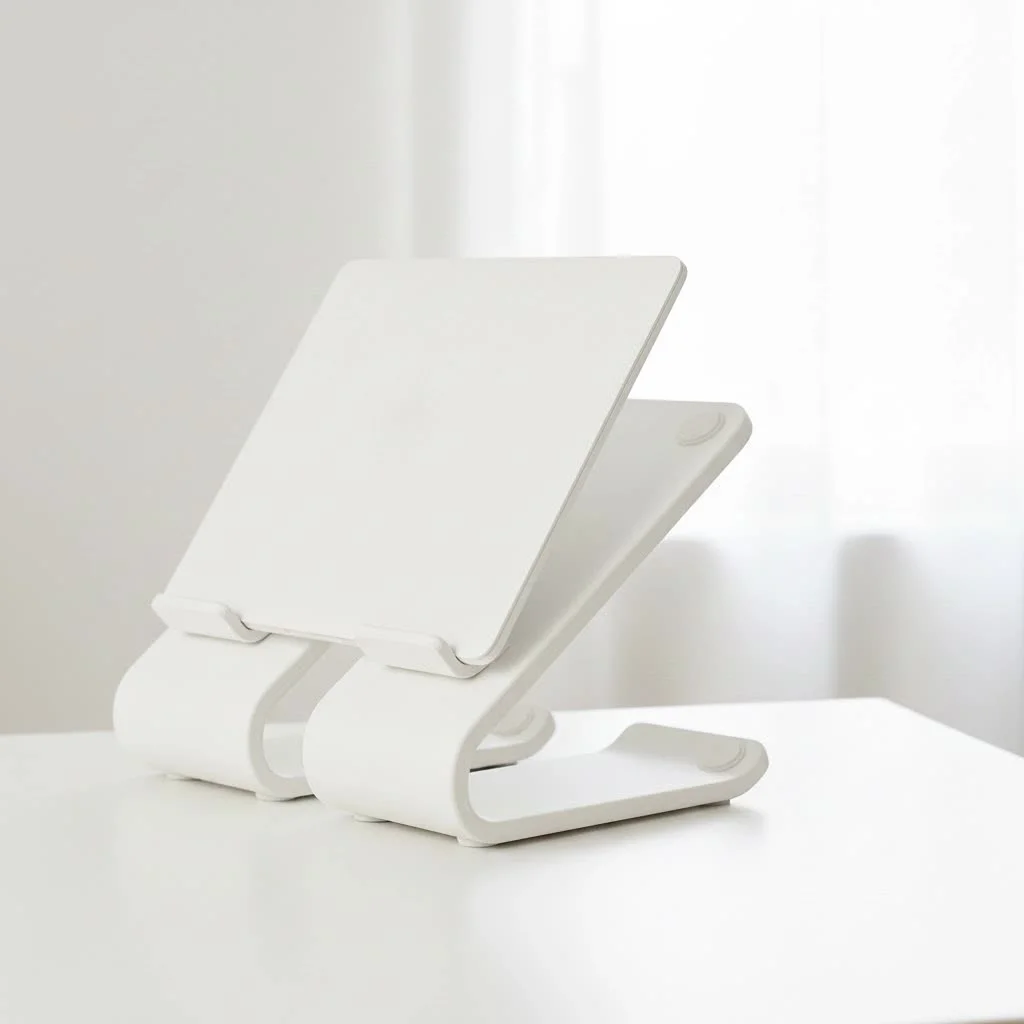
At Wweaw, we believe that understanding your gear is the first step to mastering your craft. This comprehensive guide will walk you through everything you need to know about choosing, using, and optimizing the perfect laptop stand for your DJ needs. For explore our laptop stands reviews on this site.
Why a Dedicated DJ Laptop Stand is Non-Negotiable
A purpose-built DJ laptop stand solution offers several critical advantages over a makeshift setup, making it an investment in efficiency, safety, and physical well-being.
- Ergonomics and Posture: Hunching over a laptop for hours can lead to back and neck pain. A laptop stand elevates your screen to eye level, promoting a healthier posture. This allows you to stand upright and engage with the crowd, reducing physical strain during long sets.
- Equipment Safety: DJ booths are dynamic environments where spilled drinks, subwoofer vibrations, and accidental bumps pose threats to expensive laptops. A sturdy stand secures your device, keeping it elevated and away from potential hazards.
- Improved Airflow: Laptops running demanding DJ software generate significant heat. Placing a laptop flat can trap heat, leading to thermal throttling and performance issues. A stand allows for 360-degree airflow, keeping your machine cool and running smoothly.
- Space Optimization: Booth space is often limited. A laptop stand reclaims valuable real estate by elevating your computer, creating space underneath for other gear like controllers, samplers, or effects units.
As DJ and producer Alex Rivera once stated, “The moment I got a proper laptop stand, my whole interaction with the decks changed. I was no longer looking down; I was looking forward—at my gear, at the crowd. It made me a better performer.”
The Main Types of DJ Laptop Stands
Not all stands are created equal. The right one for you depends on your setup, how often you travel, and your personal preferences. Here’s a breakdown of the most common designs.
1. The Freestanding or “Crane” Stand
This is arguably the most popular style. These stands are self-supporting, with a flat base that can slide under a mixer or controller. They are typically adjustable in height and angle, offering great flexibility.
- Best for: DJs who play at different venues and need a reliable, portable solution that works with any setup.
- Pros: Highly portable, easy to set up, versatile.
- Cons: The base can sometimes interfere with other equipment if space is extremely tight.
2. The Clamp-On Stand
|
Our Picks for the Best Laptop Stand in 2026
As an Amazon Associate I earn from qualifying purchases.
|
||
| Num | Product | Action |
|---|---|---|
| 1 | BESIGN LS03 Aluminum Laptop Stand, Ergonomic Detachable Computer Stand, Notebook Riser Compatible with Air, Pro, Dell, HP, Lenovo More 10-15.6\" Laptops, Silver |

|
| 2 | BESIGN LS03 Aluminum Laptop Stand, Ergonomic Detachable Computer Stand, Riser Holder Notebook Stand Compatible with Air, Pro, Dell, HP, Lenovo More 10-15.6\" Laptops, Black |
|
| 3 | Adjustable Laptop Stand for Desk, Metal Foldable Laptop Riser Holder, Portable Desktop Book Stands, Ventilated Cooling Computer Notebook Stand Compatible with 10-15.6” Laptops |
|
| 4 | OMOTON 360° Rotating Laptop Stand Riser for Desk, Ergonomic Foldable Computer Stand Adjustable Height Angles for Collaborative Work, Easy Storage Fit Macbooks,All Laptops up to 16 inches, Silver |
|
| 5 | Adjustable Laptop Stand, Computer Stand with 360 Rotating Base, Ergonomic Laptop Riser Mount for Desk Foldable Protable Computer Desk Fits with MacBook Pro Air (10-16\") - Black |
|
| 6 | Amazon Basics Sturdy and Portable Ergonomic Laptop Stand for Desk, Height Adjustable Riser with Ventilated Cooling, Foldable, Fits all Laptops up to 17.3 Inch, Silver, 10 x 8.7 x 6 in |
|
| 7 | tounee Telescopic Laptop Stand for Desk with 360° Swivel Base, Sit to Stand, Height Adjustable, Portable Riser Holder for Good Posture, Compatible with MacBook Pro, All Laptops 10-17\"-Gray |
|
| 8 | Laptop Stand for Desk, Adjustable Laptop Riser ABS+Silicone Foldable Portable Notebook Holder, Ventilated Cooling Notebook Mount Computer Stand for 10-15.6” Laptops,Tablets-Black |
|
| 9 | Lamicall Adjustable Laptop Stand, Portable Laptop Riser, Aluminum Laptop Stand for Desk Foldable, Ergonomic Computer Notebook Stand Holder for MacBook Air Pro, Dell XPS, HP (10-17.3\'\') - Silver |
|
| 10 | acer Laptop Stand for Desk - with 360 Swivel Base, Rotating Laptop Riser for Desk, Adjustable Computer Stand for Laptops, Ergonomic Riser Holder Foldable, Portable MacBook Pro Air (10-16\") - Silver |
|
For DJs with a permanent or semi-permanent setup, or those who frequently use flight cases, clamp-on stands are a fantastic option. They attach directly to a table, desk, or the side of a case, providing rock-solid stability.
- Best for: Home studios, resident DJs, or mobile DJs using sturdy cases.
- Pros: Extremely stable, saves the most surface space.
- Cons: Less portable and requires a compatible surface to clamp onto.
3. The All-in-One Controller Stand
Some models are designed as integrated solutions, featuring a primary platform for a controller with a built-in shelf or tier for a laptop above it. These are often larger and more robust.
- Best for: DJs who want a unified, organized setup for their controller and laptop.
- Pros: Excellent stability, keeps all main gear in one tidy unit.
- Cons: Can be bulky and less portable than other options.
How to Choose the Perfect DJ Laptop Stand
With a clear understanding of the types, how do you pick the one that’s right for you? Consider these four key factors.
Stability and Build Quality
Your laptop is a valuable asset; the stand holding it should be trustworthy. Look for stands made from durable materials like aircraft-grade aluminum or steel. Check reviews for comments on sturdiness. It should be able to withstand the vibrations of a loud sound system without wobbling.
Portability and Weight
If you’re a mobile DJ, this is crucial. You want a stand that is lightweight and folds down into a compact shape for easy transport. Many of the best freestanding stands are designed specifically for this, often coming with their own carrying case. If your stand will live in a studio, portability is less of a concern.
Adjustability
The ability to customize the height and angle of your laptop is essential for ergonomic comfort and visibility. A good DJ laptop stand should allow you to position your screen at the perfect eye level and tilt the keyboard for easy access, ensuring you can see your library and software interface without straining.
Size and Compatibility
Ensure the stand’s platform is large enough to securely hold your laptop. Most stands are designed to be universal, but it’s always wise to check the dimensions, especially if you have a larger 17-inch model. Some stands also feature an extra sub-tray, which is perfect for holding a small audio interface or hard drive.
Setting Up Your Stand for a Flawless Gig
Once you have your stand, proper setup is key to unlocking its full potential.
- Find the Sweet Spot: Position the stand where you can easily see the screen without turning your head too much. The ideal location is usually just behind your mixer or controller.
- Adjust to Eye Level: Set the height so the top of your laptop screen is at or slightly below your eye level. This prevents you from hunching over.
- Get the Angle Right: Tilt the platform so you can comfortably see the entire screen and access the keyboard or trackpad if needed.
- Secure Your Laptop: Make sure the laptop sits securely on the platform. Many stands have small rubber pads or lips to prevent the device from sliding.
- Cable Management: Use the space underneath the stand to neatly route your power, USB, and audio cables. This not only looks more professional but also prevents accidental snags and disconnections.
Frequently Asked Questions (FAQ)
What is the best material for a DJ laptop stand?
Aluminum is often considered the best balance of strength and low weight, making it ideal for portable stands. Steel is heavier but offers maximum durability, which is great for permanent studio setups.
Can I use a regular office laptop stand for DJing?
While you can, it’s not recommended. Office stands are not designed to withstand the vibrations and dynamic environment of a DJ booth. A dedicated DJ laptop stand solution is built to be more robust and stable in loud conditions.
How high should my DJ laptop stand be?
Your stand should be adjusted so that the top edge of your laptop screen is at or just below your eye level when you are standing in your natural DJing posture. This prevents you from slouching and reduces neck strain.
Is it difficult to travel with a DJ laptop stand?
Not at all. Most popular models for mobile DJs are designed to be collapsible. They fold down into a compact size and often include a protective carrying bag, making them easy to pack with your other gear.
How do I prevent my laptop from overheating on the stand?
The stand itself greatly improves airflow. By elevating the laptop, it allows heat to dissipate from all sides, including the bottom. This passive cooling is usually sufficient to prevent overheating during a performance.
The Final Mix
Choosing the right DJ laptop stand is a small step that makes a huge impact on your performance and professionalism. It’s about creating a comfortable, safe, and efficient workspace that allows your creativity to flow without interruption. By prioritizing stability, ergonomics, and portability, you can find a stand that becomes an indispensable part of your setup. improve your gear, protect your back, and give your performance the professional foundation it deserves.
Frequently Asked Questions
What is the best material for a DJ laptop stand?
Aluminum is often considered the best material for DJ laptop stands, offering an optimal balance of strength and low weight, which is ideal for portable use. Steel is another durable option, providing maximum stability for permanent studio setups, though it is heavier.
Can a regular office laptop stand be used for DJing?
While technically possible, using a regular office laptop stand for DJing is not recommended. Office stands are not designed to withstand the vibrations and dynamic environment of a DJ booth, lacking the robustness and stability required for loud conditions.
What is the ideal height for a DJ laptop stand?
The ideal height for a DJ laptop stand is when the top edge of your laptop screen is at or just below your eye level. This adjustment, when standing in your natural DJing posture, prevents slouching and significantly reduces neck strain during long sets.
Is it difficult to travel with a DJ laptop stand?
No, traveling with a DJ laptop stand is generally not difficult. Most popular models designed for mobile DJs are collapsible, folding down into a compact size. Many also include a protective carrying bag, making them easy to pack with other gear.
How does a laptop stand prevent overheating during DJ performances?
A laptop stand significantly improves airflow around the device, preventing overheating during DJ performances. By elevating the laptop, it allows heat to dissipate from all sides, including the bottom, providing sufficient passive cooling for demanding software.
Setting Up Your DJ Laptop Stand for a Flawless Gig
Properly setting up your DJ laptop stand is crucial for maximizing its potential, ensuring ergonomic comfort, and maintaining equipment safety during your performance.
Position the stand where you can easily see the screen without excessive head turning. The ideal location is typically just behind your mixer or controller, allowing for seamless interaction with your setup.
Set the height so the top of your laptop screen is at or slightly below your eye level. This critical adjustment prevents you from hunching over, promoting a healthier posture throughout your set.
Tilt the platform so you can comfortably see the entire screen and easily access the keyboard or trackpad if needed. This ensures clear visibility of your library and software interface without straining.
Ensure the laptop sits securely on the platform to prevent accidental slips. Many stands feature small rubber pads or protective lips specifically designed to keep the device from sliding during vibrations.
Utilize the space underneath the stand to neatly route your power, USB, and audio cables. Effective cable management not only enhances professionalism but also prevents accidental snags and disconnections during your performance.
Get our weekly buyer guide
Practical specs, not advice. Unsubscribe anytime.

I’ve been using a makeshift setup for years and finally decided to invest in a proper DJ laptop stand after reading about the ergonomic benefits. My back and neck already feel so much better after just a few gigs. Elevating the laptop to eye level really does make a huge difference, and I can focus more on my set without constantly adjusting.
As a mobile DJ, stage presence is key, and this stand has really helped me achieve a more professional look. It keeps my setup clean and organized, and I feel more confident behind the decks. The guide’s point about securing the device from potential hazards in chaotic DJ booths really resonated with me, and this stand delivers.
This guide was super helpful in narrowing down my options. I ended up getting a stand that was in the mid-range price point, and it’s been solid. The stability is great, even in a crowded booth. My only minor complaint is that it’s a little heavier than I expected, but that’s a small trade-off for the security it provides.
I appreciate the emphasis on protecting equipment, which is why I bought a new stand. While it does elevate my laptop, I found the cable management features mentioned in the post to be a bit lacking on the model I chose. It’s not terrible, but I still have some wires dangling more than I’d like. Still, it’s better than nothing.