Choosing the right laptop stand size is crucial for an ergonomic setup, ensuring stability, compatibility, and optimal airflow for your device. A stand that is too small can lead to instability and potential damage, while an overly large one wastes desk space. For instance, a 15-inch laptop typically requires a stand with a platform width of 9.5 to 11 inches and a weight capacity of at least 10 lbs (4.5 kg) to provide a secure and efficient workstation.
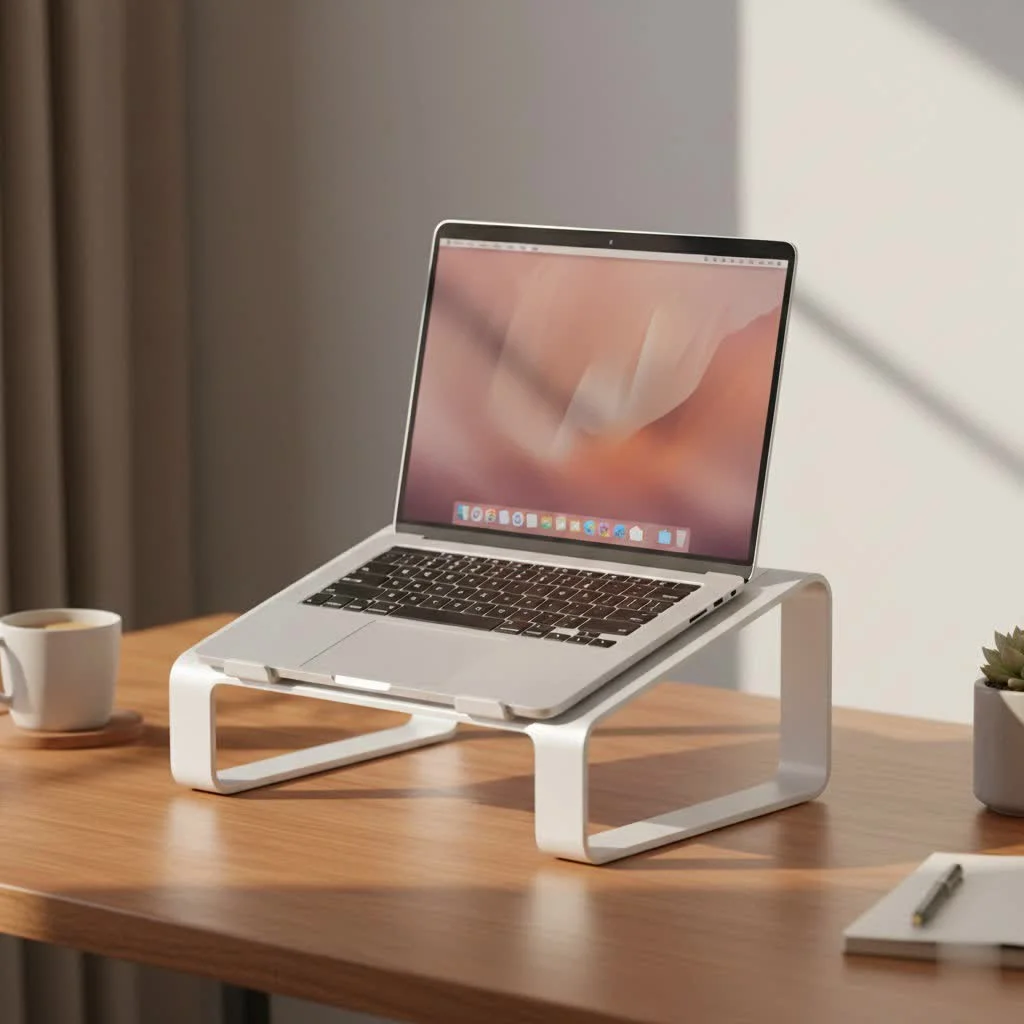
Why Laptop Stand Size is a Crucial Factor
You might think most laptop stands are universal, but that’s a dangerous assumption. A stand that’s too small for your device can be unstable, creating a constant risk of your laptop tipping over. On the other hand, a stand that’s excessively large for a small ultrabook can be cumbersome, take up unnecessary desk space, and look awkward.
The correct laptop stand size ensures three key things:
- Stability: The stand can safely support your laptop’s weight and footprint without wobbling during use.
- Compatibility: The retaining hooks or base area align perfectly with your device, preventing it from sliding off.
- Optimal Airflow: A properly sized stand provides adequate space for ventilation, helping to keep your laptop cool and running efficiently.
Measuring Your Laptop: The First Step to a Perfect Fit
Before you can choose a stand, you need to know your laptop’s exact measurements. Don’t just rely on the screen size (e.g., “15-inch laptop”), as the physical frame, or bezel, can vary significantly between models.
Here’s how to get the numbers that matter:
- Close your laptop.
- Measure the Width: Using a tape measure, record the distance from the left edge to the right edge.
- Measure the Depth: Measure the distance from the front edge to the back edge (near the hinge).
- Weigh your Laptop: Use a kitchen scale to find its weight. You can also look up the official specifications online by searching for your exact model number.
Keep these three measurements—width, depth, and weight—handy. They are your golden ticket to finding the right stand.
“The most common ergonomic mistake I see is a mismatched laptop and stand. A stable base is the foundation of a healthy workspace. If your stand is too small, the resulting instability can cause subtle screen vibrations that lead to eye strain, not to mention the obvious physical risk to your device.” – Dr. Evelyn Reed, Ergonomics Specialist
Decoding Laptop Stand Specifications
When browsing for a stand, manufacturers typically list compatibility in two ways: by supported screen sizes (e.g., “Fits 10-15.6 inch laptops”) and by maximum weight capacity. While the screen size range is a helpful starting point, the weight capacity is non-negotiable.
Matching Stand Size to Laptop Screen Size
|
Our Picks for the Best Laptop Stand in 2026
As an Amazon Associate I earn from qualifying purchases.
|
||
| Num | Product | Action |
|---|---|---|
| 1 | Adjustable Laptop Stand, Computer Stand with 360 Rotating Base, Ergonomic Laptop Riser Mount for Desk Foldable Protable Computer Desk Fits with MacBook Pro Air (10-16\") - Black |

|
| 2 | acer Laptop Stand for Desk - with 360 Swivel Base, Rotating Laptop Riser for Desk, Adjustable Computer Stand for Laptops, Ergonomic Riser Holder Foldable, Portable MacBook Pro Air (10-16\") - Silver |
|
| 3 | BESIGN LS03 Aluminum Laptop Stand, Ergonomic Detachable Computer Stand, Notebook Riser Compatible with Air, Pro, Dell, HP, Lenovo More 10-15.6\" Laptops, Silver |
|
| 4 | Laptop Stand for Desk, Adjustable Laptop Riser ABS+Silicone Foldable Portable Notebook Holder, Ventilated Cooling Notebook Mount Computer Stand for 10-15.6” Laptops,Tablets-Black |
|
| 5 | Amazon Basics Sturdy and Portable Ergonomic Laptop Stand for Desk, Height Adjustable Riser with Ventilated Cooling, Foldable, Fits all Laptops up to 17.3 Inch, Silver, 10 x 8.7 x 6 in |
|
| 6 | Adjustable Laptop Stand for Desk, Metal Foldable Laptop Riser Holder, Portable Desktop Book Stands, Ventilated Cooling Computer Notebook Stand Compatible with 10-15.6” Laptops |
|
| 7 | BESIGN LS03 Aluminum Laptop Stand, Ergonomic Detachable Computer Stand, Riser Holder Notebook Stand Compatible with Air, Pro, Dell, HP, Lenovo More 10-15.6\" Laptops, Black |
|
| 8 | tounee Telescopic Laptop Stand for Desk with 360° Swivel Base, Sit to Stand, Height Adjustable, Portable Riser Holder for Good Posture, Compatible with MacBook Pro, All Laptops 10-17\"-Gray |
|
| 9 | Lamicall Adjustable Laptop Stand, Portable Laptop Riser, Aluminum Laptop Stand for Desk Foldable, Ergonomic Computer Notebook Stand Holder for MacBook Air Pro, Dell XPS, HP (10-17.3\'\') - Silver |
|
| 10 | OMOTON 360° Rotating Laptop Stand Riser for Desk, Ergonomic Foldable Computer Stand Adjustable Height Angles for Collaborative Work, Easy Storage Fit Macbooks,All Laptops up to 16 inches, Silver |
|
While physical dimensions are more accurate, screen size is a good general guideline. Here’s a breakdown of what to look for based on your laptop’s category.
For Small Laptops & Ultrabooks (11 to 14 inches)
Laptops in this range are lightweight and have a small footprint.
- What to look for: You can opt for ultra-portable and lightweight stands. Look for stands with a base width of around 8-9 inches. Since these laptops are light, most stands will easily handle their weight, but prioritize portability and a compact design.
For Standard Laptops (15 to 16 inches)
This is the most common laptop size, and most stands are designed with them in mind.
- What to look for: Stability is key. A stand with a wider base (9.5-11 inches) and a higher weight capacity is ideal. Ensure the retaining hooks at the front are tall enough to secure your laptop’s thicker base. This is where your measured depth becomes important; make sure the support arms are long enough to provide a balanced platform.
For Large & Gaming Laptops (17 inches and above)
These laptops are heavy, wide, and generate significant heat. A small or flimsy stand is not an option.
- What to look for: Prioritize a high weight capacity and a large surface area. Look for stands specifically marketed for “gaming laptops” or “heavy-duty” use. These often feature robust all-metal construction (like aluminum) and built-in ventilation or fans. The stand’s width should be at least 11-12 inches to prevent any overhang.
The Critical Role of Weight Capacity
Never ignore the weight limit specified by the stand’s manufacturer. A 17-inch gaming laptop can weigh over 7 lbs (3.2 kg), while a 13-inch ultrabook might be under 3 lbs (1.3 kg).
Choosing a stand that can’t handle your laptop’s weight will lead to:
- Wobbling: The stand will shake as you type, causing screen movement and distraction.
- Bending: Over time, the stand’s platform may start to sag or bend under the weight.
- Catastrophic Failure: In the worst-case scenario, the stand could collapse, sending your laptop crashing to the desk.
Pro Tip: Always choose a stand with a weight capacity that is at least 25% higher than your laptop’s actual weight. This provides a safety margin and ensures long-term stability.
How to Choose the Perfect Laptop Stand Size: A Checklist
Use this checklist to ensure you’ve covered all your bases when selecting your next laptop stand.
- [ ] My Laptop’s Measurements:
- Width: _____ inches/cm
- Depth: _____ inches/cm
- Weight: _____ lbs/kg
- [ ] Stand Compatibility:
- Does the stand’s recommended screen size range include my laptop?
- Is the stand’s weight capacity at least 25% more than my laptop’s weight?
- [ ] Stand Dimensions:
- Is the stand’s platform width and depth sufficient to hold my laptop securely without significant overhang?
- [ ] Ergonomics & Use Case:
- Is the stand adjustable to bring the screen to my eye level?
- Is it portable enough for my needs, or is it a stationary stand for my desk?
Frequently Asked Questions (FAQ)
Are laptop stands one-size-fits-all?
No, they are not. While many stands are adjustable and can accommodate a wide range of laptop sizes, they are not truly universal. Always check the manufacturer’s specifications for supported screen sizes and, more importantly, the maximum weight capacity to ensure a safe and stable fit.
What size laptop stand do I need for a 15-inch laptop?
For a standard 15-inch laptop, look for a stand that is rated for screen sizes up to at least 15.6 inches and has a weight capacity of around 10 lbs (4.5 kg) or more. A platform width of 9.5 to 11 inches generally provides excellent stability for this size.
Can a laptop stand be too big?
Yes, a stand can be too big. While it may be stable, an oversized stand can take up valuable desk real estate and may have support arms or a base that interfere with your keyboard and mouse placement. It’s about finding a balance between stability and an efficient desk setup.
How do I know if a stand is stable enough?
Look for stands made from high-quality materials like solid aluminum or steel. Check reviews for comments on wobbling, especially from users with laptops similar in size and weight to yours. A wider base and anti-slip silicone pads are also key indicators of a stable design.
Does the thickness of my laptop matter?
Yes, it does. The retaining hooks or “lips” at the front of the stand’s platform must be tall enough to securely hold your laptop’s front edge. Gaming laptops and older models are often thicker than modern ultrabooks, so check this dimension to prevent your device from sliding forward.
The Final Word on Finding the Right Fit
Choosing the right laptop stand size is a fundamental step in building a comfortable, safe, and productive workspace. By taking a few moments to measure your device and understand the specifications of the stand, you can avoid the common pitfalls of instability and incompatibility. Don’t just guess—make an informed decision. Your posture, your productivity, and your laptop will thank you for it.
Frequently Asked Questions
Are laptop stands one-size-fits-all?
No, laptop stands are not one-size-fits-all. While many are adjustable, they are not truly universal; users must check manufacturer specifications for supported screen sizes and, critically, the maximum weight capacity to ensure a safe and stable fit for their specific device.
What size laptop stand do I need for a 15-inch laptop?
For a standard 15-inch laptop, you should look for a stand rated for screen sizes up to at least 15.6 inches with a weight capacity of approximately 10 lbs (4.5 kg) or more. A platform width between 9.5 to 11 inches typically provides excellent stability for this common laptop size.
Can a laptop stand be too big for my device?
Yes, a laptop stand can be too big. An oversized stand, while stable, can occupy excessive desk space and its support arms or base might interfere with the placement of your keyboard and mouse, hindering an efficient desk setup.
How can I determine if a laptop stand is stable enough?
To assess stability, look for stands constructed from high-quality materials such as solid aluminum or steel. User reviews often provide insights into wobbling, especially from those with similar laptop sizes and weights. Key indicators of a stable design also include a wider base and the presence of anti-slip silicone pads.
Does the physical thickness of my laptop affect stand choice?
Yes, the physical thickness of your laptop matters significantly. The retaining hooks or 'lips' at the front of the stand's platform must be sufficiently tall to securely hold your laptop's front edge. Thicker devices, like gaming laptops or older models, require taller hooks to prevent them from sliding forward.
How to Choose the Right Laptop Stand Size
Selecting the correct laptop stand size involves measuring your device and understanding stand specifications to ensure stability, compatibility, and optimal ergonomics.
First, close your laptop. Use a tape measure to record its width (left to right edge) and depth (front to back edge). Also, weigh your laptop using a kitchen scale or find its official weight online.
Check the stand's listed screen size range (e.g., 'Fits 10-15.6 inch laptops'). While a general guideline, ensure your laptop falls within this range. For small laptops (11-14 inches), look for 8-9 inch base widths; for standard (15-16 inches), aim for 9.5-11 inches; and for large (17+ inches), seek 11-12 inches.
Crucially, confirm the stand's maximum weight capacity. Always choose a stand with a capacity at least 25% higher than your laptop's actual weight. This safety margin prevents wobbling, bending, or catastrophic failure.
Ensure the stand's platform width and depth are sufficient to hold your laptop securely without significant overhang. Also, verify that the retaining hooks at the front are tall enough to accommodate your laptop's thickness, especially for gaming or older models.
Finally, evaluate if the stand is adjustable to bring your screen to eye level for optimal ergonomics. Decide if you need a portable stand for travel or a more robust, stationary stand for a dedicated desk setup.
Get our weekly buyer guide
Practical specs, not advice. Unsubscribe anytime.

The info on weight capacity was helpful, but I wish there was more detail on stands for heavier laptops. Mine is an older model and pretty hefty, so finding one that supports at least 10 lbs was a bit of a challenge. It’s stable now, but I had to do some extra searching beyond the general recommendations.
This was super useful! I always thought any stand would do, but the point about an overly large stand wasting desk space really resonated with me. My workspace is pretty compact, so getting the right size for my ultrabook was key. It looks so much cleaner now, and I have more room for my external keyboard.
I appreciate the advice on platform width. I never considered that before, just focused on height. My old stand was a bit too narrow for my gaming laptop, which caused some minor wobbles. The new one I got, following the 9.5 to 11 inch recommendation, feels much more secure and has improved my posture a lot.
I used to just stack books under my laptop, but it was always wobbly. This guide really helped me understand why a proper stand is so important for stability. I ended up getting one that perfectly fits my 15-inch laptop, and it’s made a huge difference. No more fear of my laptop tipping over!