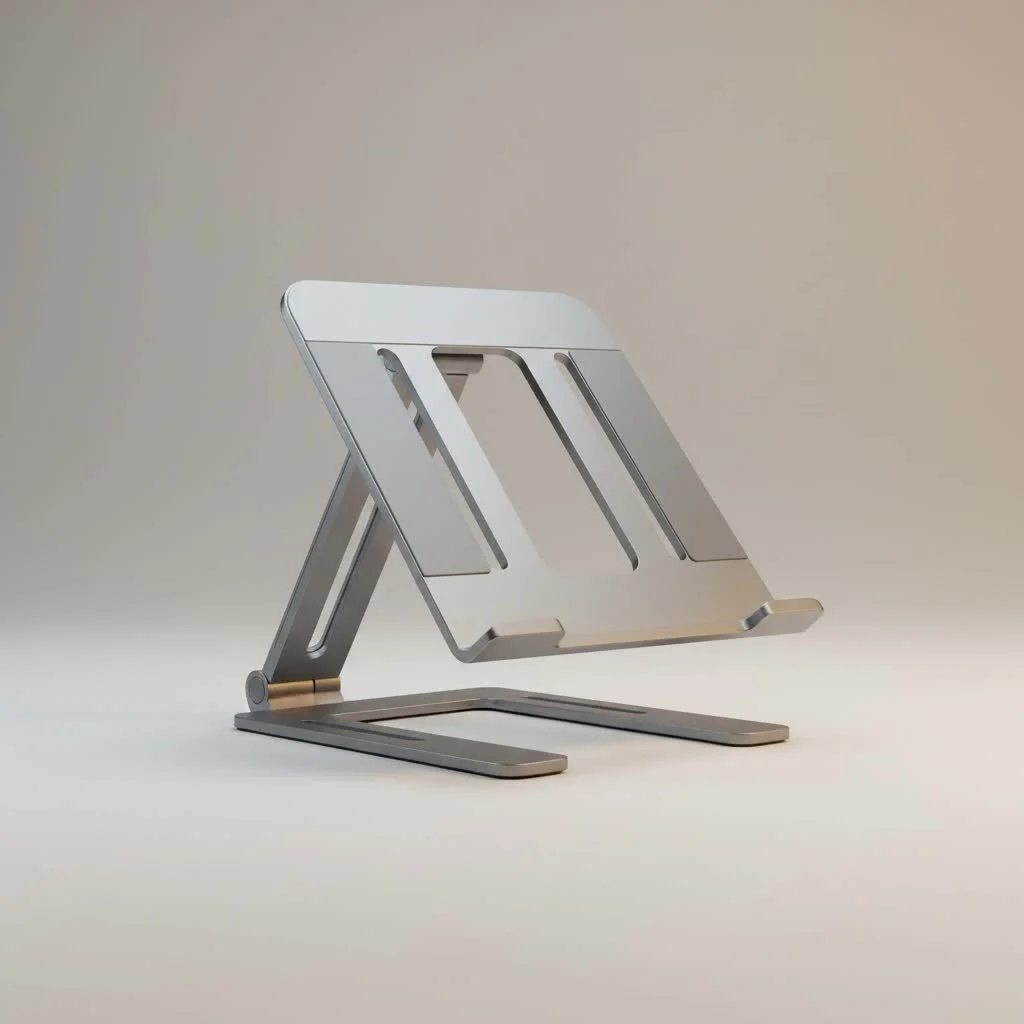
A foldable laptop stand is an essential tool for creating an ergonomic workstation anywhere, transforming any flat surface into a comfortable and productive setup. These stands improve your laptop screen to eye level, preventing slouching and reducing the risk of neck and back pain. They are typically lightweight, compact, and designed for portability, making them ideal for digital nomads, hybrid workers, and students.
Why a Foldable Laptop Stand is a Non-Negotiable Tool
For years, many have hunched over laptops, unknowingly contributing to neck strain, back pain, and poor posture. A foldable laptop stand directly addresses this ergonomic challenge. For browse all laptop stands articles on this site.
- Improved Ergonomics: By elevating your screen to eye level, a stand prevents slouching. This adjustment aligns your spine, reduces tension in your neck and shoulders, and can significantly decrease the risk of chronic pain associated with “tech neck.”
- Enhanced Portability: Unlike bulky, traditional stands, a foldable model is designed for life on the go. These stands are typically lightweight and collapse into a compact form that slips easily into a backpack or laptop bag, often with their own carrying pouch.
- Better Laptop Health: Laptops generate heat, and poor ventilation can lead to performance throttling and long-term damage. A stand lifts your device off the surface, promoting 360-degree airflow that keeps your machine running cool and efficiently.
- Unmatched Versatility: A foldable stand allows you to create a comfortable setup anywhere—a coffee shop, a co-working space, the library, or your kitchen table. It provides consistency in your work environment, which can boost focus and productivity.
How to Choose the Perfect Foldable Laptop Stand
Selecting the right foldable laptop stand can feel overwhelming due to the many options. Focus on these key criteria to find a model that perfectly suits your needs and your device.
Material and Build Quality
The material dictates the stand’s weight, durability, and aesthetic.
- Aluminum Alloy: This is the most popular choice, offering an excellent balance of strength and low weight. Aluminum stands are robust, dissipate heat well, and have a premium, modern look.
- Plastic (ABS): High-quality ABS plastic can be surprisingly durable and is often the most lightweight and affordable option. However, cheaper plastic models can feel flimsy and may not offer the same stability as their metal counterparts.
- Wood/Bamboo: For those who prefer a more natural aesthetic, bamboo stands are an eco-friendly and stylish option. They are sturdy but can be slightly heavier and less compact when folded compared to aluminum designs.
Adjustability and Angles
The primary purpose of a stand is to position your screen at the correct ergonomic height. Look for models that offer multiple height and angle settings. Z-type and scissor-lift (X-type) designs are popular for their wide range of adjustability, allowing you to fine-tune the screen height for a perfectly customized setup.
“A stand isn’t just about lifting your laptop; it’s about lifting it to the right height for your body,” notes Dr. Aris Thorne, a leading ergonomics consultant. “Lack of adjustability defeats half the purpose of the product. Look for a stand that allows the top of your screen to be level with your eyes.”
Size Compatibility and Weight Capacity
|
Our Picks for the Best Laptop Stand in 2026
As an Amazon Associate I earn from qualifying purchases.
|
||
| Num | Product | Action |
|---|---|---|
| 1 | Amazon Basics Sturdy and Portable Ergonomic Laptop Stand for Desk, Height Adjustable Riser with Ventilated Cooling, Foldable, Fits all Laptops up to 17.3 Inch, Silver, 10 x 8.7 x 6 in |

|
| 2 | Adjustable Laptop Stand, Computer Stand with 360 Rotating Base, Ergonomic Laptop Riser Mount for Desk Foldable Protable Computer Desk Fits with MacBook Pro Air (10-16\") - Black |
|
| 3 | BESIGN LS03 Aluminum Laptop Stand, Ergonomic Detachable Computer Stand, Riser Holder Notebook Stand Compatible with Air, Pro, Dell, HP, Lenovo More 10-15.6\" Laptops, Black |
|
| 4 | Adjustable Laptop Stand for Desk, Metal Foldable Laptop Riser Holder, Portable Desktop Book Stands, Ventilated Cooling Computer Notebook Stand Compatible with 10-15.6” Laptops |
|
| 5 | Lamicall Adjustable Laptop Stand, Portable Laptop Riser, Aluminum Laptop Stand for Desk Foldable, Ergonomic Computer Notebook Stand Holder for MacBook Air Pro, Dell XPS, HP (10-17.3\'\') - Silver |
|
| 6 | tounee Telescopic Laptop Stand for Desk with 360° Swivel Base, Sit to Stand, Height Adjustable, Portable Riser Holder for Good Posture, Compatible with MacBook Pro, All Laptops 10-17\"-Gray |
|
| 7 | OMOTON 360° Rotating Laptop Stand Riser for Desk, Ergonomic Foldable Computer Stand Adjustable Height Angles for Collaborative Work, Easy Storage Fit Macbooks,All Laptops up to 16 inches, Silver |
|
| 8 | Laptop Stand for Desk, Adjustable Laptop Riser ABS+Silicone Foldable Portable Notebook Holder, Ventilated Cooling Notebook Mount Computer Stand for 10-15.6” Laptops,Tablets-Black |
|
| 9 | BESIGN LS03 Aluminum Laptop Stand, Ergonomic Detachable Computer Stand, Notebook Riser Compatible with Air, Pro, Dell, HP, Lenovo More 10-15.6\" Laptops, Silver |
|
| 10 | acer Laptop Stand for Desk - with 360 Swivel Base, Rotating Laptop Riser for Desk, Adjustable Computer Stand for Laptops, Ergonomic Riser Holder Foldable, Portable MacBook Pro Air (10-16\") - Silver |
|
Before you buy, check the stand’s specifications to ensure it can support your laptop. Most foldable stands list the screen sizes they are compatible with (e.g., 10-15.6 inches) and a maximum weight capacity. A stand that is too small for your laptop will be unstable and a potential hazard. Look for features like rubber or silicone pads on the surface and feet to prevent your laptop from slipping and to protect your desk from scratches.
Portability and Design
Consider how compact the stand is when folded. The best designs collapse into a thin, rod-like shape. Pay attention to the stand’s weight, especially if you travel frequently. Many stands come with a small travel pouch, which is a great bonus for keeping it protected and preventing it from scratching other items in your bag.
Getting the Most Out of Your Foldable Laptop Stand
Simply owning a stand isn’t enough; using it correctly is crucial for reaping the ergonomic benefits.
- Always Use an External Keyboard and Mouse: A laptop stand is designed to elevate the screen, not the keyboard. Typing on a raised, angled laptop keyboard is unnatural and will cause wrist strain. Always pair your stand with an external keyboard and mouse for a truly ergonomic setup.
- Set the Correct Height: Adjust the stand so that the top bezel of your laptop screen is at or slightly below your eye level. Your eyes should look straight ahead, not down. This will keep your neck in a neutral, relaxed position.
- Position It Correctly: Place the stand about an arm’s length away from you. This ensures you’re not too close to the screen, which can cause eye strain.
- Check for Stability: After setting up your laptop, give it a gentle nudge to ensure it’s secure. Make sure the stand’s feet are firmly planted on the surface and that the support arms are locked in place.
Frequently Asked Questions (FAQ)
Are foldable laptop stands stable enough for heavy laptops?
Most high-quality aluminum stands are incredibly stable and can easily support heavier gaming or workstation laptops. Always check the manufacturer’s recommended weight limit, which can often exceed 20 pounds. Features like silicone anti-slip pads and a sturdy, cross-braced design contribute significantly to stability.
Can I use a foldable laptop stand for a tablet or book?
Absolutely. The versatility of these stands makes them great for holding tablets, e-readers, or even physical books. This is especially useful for video calls, watching movies, or following a recipe on a tablet in the kitchen, providing a hands-free experience.
Will a metal stand scratch my laptop?
Reputable manufacturers place protective silicone or rubber pads on all points of contact to prevent any scratching. These pads also serve to grip your device securely. If a stand lacks these protective pads, it is best to avoid it to prevent potential damage to your laptop or desk.
How do I clean my foldable laptop stand?
Cleaning is simple. For aluminum or plastic stands, a quick wipe with a damp cloth is usually sufficient to remove dust and smudges. Avoid using harsh chemicals that could damage the finish. For wooden stands, use a dry or lightly dampened cloth and follow any specific care instructions from the manufacturer.
What is the best type of design for portability?
For maximum portability, look for stands that fold down into a single, compact stick or rod. These designs are often the lightest, weighing as little as 0.5 pounds, and take up the least amount of space in a bag, making them ideal for frequent travelers and minimalists.
Your Partner in Productivity and Comfort
A foldable laptop stand is more than just an accessory; it’s a fundamental investment in your health, comfort, and productivity. By choosing a stand that fits your device and lifestyle, and by using it correctly with an external keyboard and mouse, you can create an ergonomic workspace wherever you go. At Wweaw, we believe the right tools can unlock your full potential. Say goodbye to neck pain and hello to a better, more flexible way of working.
Frequently Asked Questions
Are foldable laptop stands stable enough for heavy laptops?
Most high-quality aluminum stands are incredibly stable and can easily support heavier gaming or workstation laptops, often exceeding 20 pounds. Features like silicone anti-slip pads and a sturdy, cross-braced design contribute significantly to stability.
Can I use a foldable laptop stand for a tablet or book?
Absolutely. The versatility of these stands makes them great for holding tablets, e-readers, or even physical books. This is especially useful for video calls, watching movies, or following a recipe on a tablet in the kitchen, providing a hands-free experience.
Will a metal stand scratch my laptop?
Reputable manufacturers place protective silicone or rubber pads on all points of contact to prevent any scratching. These pads also serve to grip your device securely. If a stand lacks these protective pads, it is best to avoid it to prevent potential damage to your laptop or desk.
How do I clean my foldable laptop stand?
Cleaning is simple. For aluminum or plastic stands, a quick wipe with a damp cloth is usually sufficient to remove dust and smudges. Avoid using harsh chemicals that could damage the finish. For wooden stands, use a dry or lightly dampened cloth and follow any specific care instructions from the manufacturer.
What is the best type of design for portability?
For maximum portability, look for stands that fold down into a single, compact stick or rod. These designs are often the lightest, weighing as little as 0.5 pounds, and take up the least amount of space in a bag, making them ideal for frequent travelers and minimalists.
Getting the Most Out of Your Foldable Laptop Stand
To maximize the ergonomic benefits of your foldable laptop stand, follow these steps for correct setup and usage.
A laptop stand is designed to elevate the screen, not the keyboard. Typing on a raised, angled laptop keyboard is unnatural and will cause wrist strain. Always pair your stand with an external keyboard and mouse for a truly ergonomic setup.
Adjust the stand so that the top bezel of your laptop screen is at or slightly below your eye level. Your eyes should look straight ahead, not down. This will keep your neck in a neutral, relaxed position.
Place the stand about an arm's length away from you. This ensures youu2019re not too close to the screen, which can cause eye strain. Proper distance helps maintain eye health.
After setting up your laptop, give it a gentle nudge to ensure it's secure. Make sure the standu2019s feet are firmly planted on the surface and that the support arms are locked in place. This prevents accidental slips or falls.
Get our weekly buyer guide
Practical specs, not advice. Unsubscribe anytime.
The stand does a good job of elevating my laptop and helping with my neck strain, which was my main goal. However, I found the setup a little finicky at first, and it took a few tries to get it just right. Once it’s set, it’s fine, but the initial adjustment could be smoother. Still, it’s better than slouching all day.
I’ve been using a foldable laptop stand for a few weeks now, and it’s made a huge difference. My neck pain from hunching over my laptop is practically gone. I love how lightweight and compact it is, making it super easy to toss in my bag for working at coffee shops or when I visit family. Definitely a game-changer for my posture!
As a digital nomad, a good foldable laptop stand is absolutely essential. This one is fantastic for transforming any flat surface into a proper workstation. It’s sturdy enough for my daily use and folds down so small, it barely takes up any space in my backpack. Highly recommend for anyone who works remotely or travels a lot.
This stand has really helped with my posture during long work-from-home days. Elevating my screen to eye level has made a noticeable difference in my shoulder tension. I appreciate the portability, though I do wish it had a slightly wider base for my larger 15-inch laptop, it feels a tiny bit less stable than I’d like sometimes.